Functions
In the "Functions" tab, you can save often used expressions. These functions are presets/ templates, which later on can be used inside an expression builder as already predefined information to speed up expression creation process.
You can also use functions to calculate values, like cost or duration. Moreover, they could be created to do mathematical equations with the dynamic parameter data in processing context, for example: operations.
| How to find the "Functions" tab? |
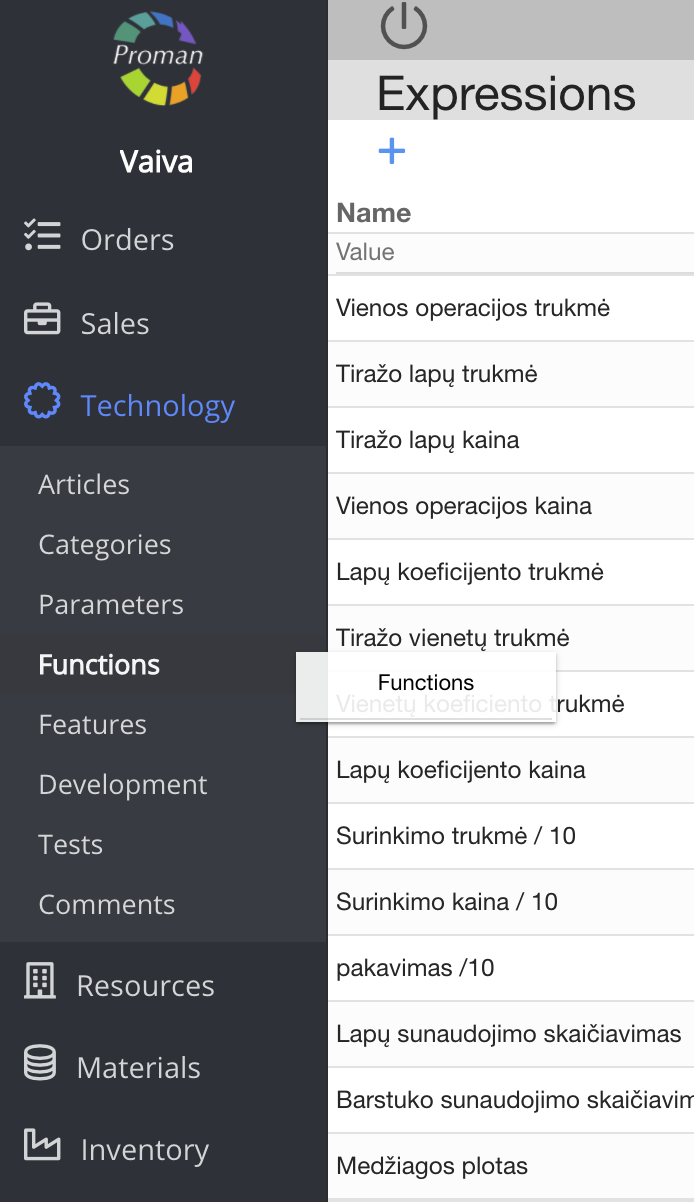
1. To find Functions, you should:
1.1. Click on 
1.2. Then- 
Now you can see the functions list:
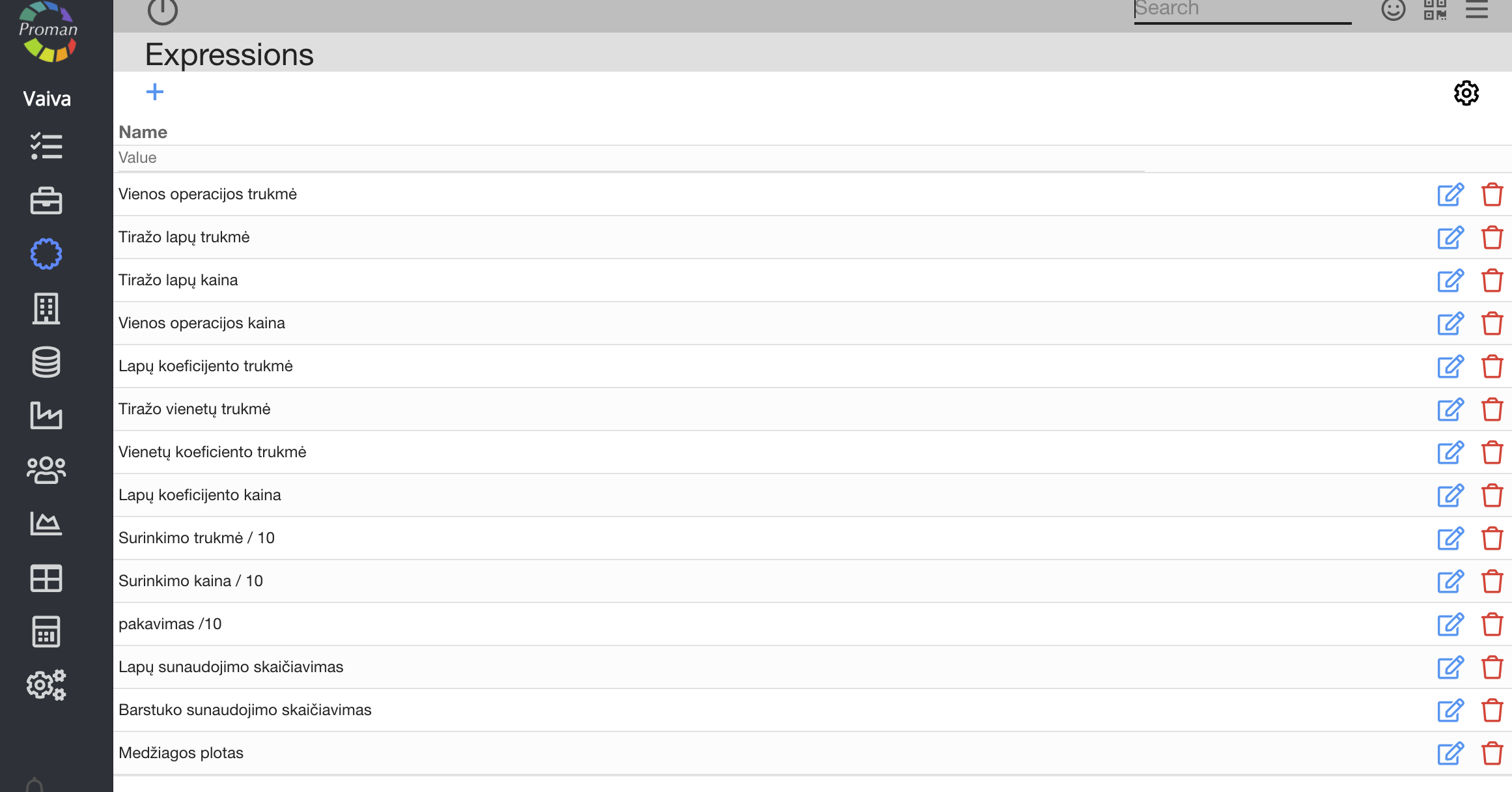
Basic parameter functionality: | |

| Button | What does it indicate? |
 | You can edit the parameter |
 | You can delete the parameter |
|
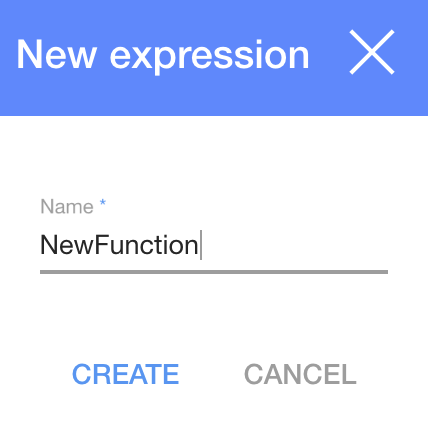
1. To create a new function, click on 
2. In the dialog table enter name
3. and click

| How to understand what is 'If' Conditions? |
(7 > 12 ? 500 : 1000)
| Condition | What does it indicate? |
| 7 > 12 | Condition "Is 7 is bigger than 12?" |
| ? 500 | if above condition is true, set 500 |
| : 1000 | if above condition is false, set 1000 |
(18 == 17 ? 500 : 1000
| Condition | What does it indicate? |
| 18 == 17 | Condition "Is 18 is equal 17?" |
| How to create a function you need? |
Production name expression
year~'/' ~month~'/' ~day
| Sign | What does it indicate? |
| year, month, day | It is date variable |
| ~ | It is a sign that stick different object |
| ' ' | It is sign within which you need to write text (inside ' ' ) |
| / | It is your text |
p(1) * p(4) + 1.3
| Sign | What does it indicate? |
| p | It is parameters ( (p(1) - Colors) and (p(4) - Layer)) |
| (1) (4) | It is parameter's Id (you can choose parameters, press and find it in a list. and find it in a list. |
| + - * / | It is mathematical signs |
| 1.3 | It is a number you need |
m(p(4))
| Function | What does it indicate? |
| m(p(4)) | It is material parameter (which id is 4) and gives all information about this material |
m(p(4)).getName()
| Function | What does it indicate? |
| m(p(4)) | It is material parameter (which id is 4) and gives all information about this material |
| .getName() | You get particular material Name |
m(p(4)).getInStock()
| Function | What does it indicate? |
| m(p(4)) | It is material parameter (which id is 4) and gives all information about this material |
| .getInStock() | You get particular material Remnant |
substr('PROMAN', 3, 2)
| Function | What does it indicate? |
| substr() | Takes data which is inside the brackets and take part of it (how to do it you could see below) |
| ' ' | It is text you need (inside ' ' ) |
| PROMAN | It is your text |
| , 3 | Starts taking form the fourth symbol (From text 'PROMAN', takes 'M' ) Note: if you want to get symbol, you must write one less |
| , 2 | Takes 2 symbols from fourth symbol (From text 'PROMAN', takes 'M' and 'A') |
df(order.customer, 'alias')
| Function | What does it indicate? |
| df() | Takes dynamic field, which is inside the brackets |
| order.customer | Goes to Order Customer |
| ' ' | It is text you need (inside ' ' ) |
| , 'alias' | Takes alias from Dynamic field (you could get more information about it here) |
Other function
| Function | What does it indicate? |
| get_material(p(60)) | the same as m(p(60)) |
| material_category_name(Paper) | Takes data from material, which name 'Paper' and gives all information about this material |
| material_alias(J1) | Takes data from material alias 'J1' and gives all information about this material |
| inval(p(10)) | Takes number from string type and makes them number type (integer) |
| floatval(p(10)) | Takes number from string type and makes them number type (real number) |
| order.Field['alias'] | Get Dynamic field Order type data particular alias (more information about Dynamic field you could get here) |
| 7 > 12 and 7 < 12 | Both conditions are true |
| 7 > 12 && 7 < 12 | Both conditions are true, but if first condition is not true don't do anything |
| 7 > 12 or 7 < 12 | If one of conditions is true |
There is a lot hidden by