QrandPay
Qrandpay flow
1. How to leave tips
there is two routes for leaving tips:
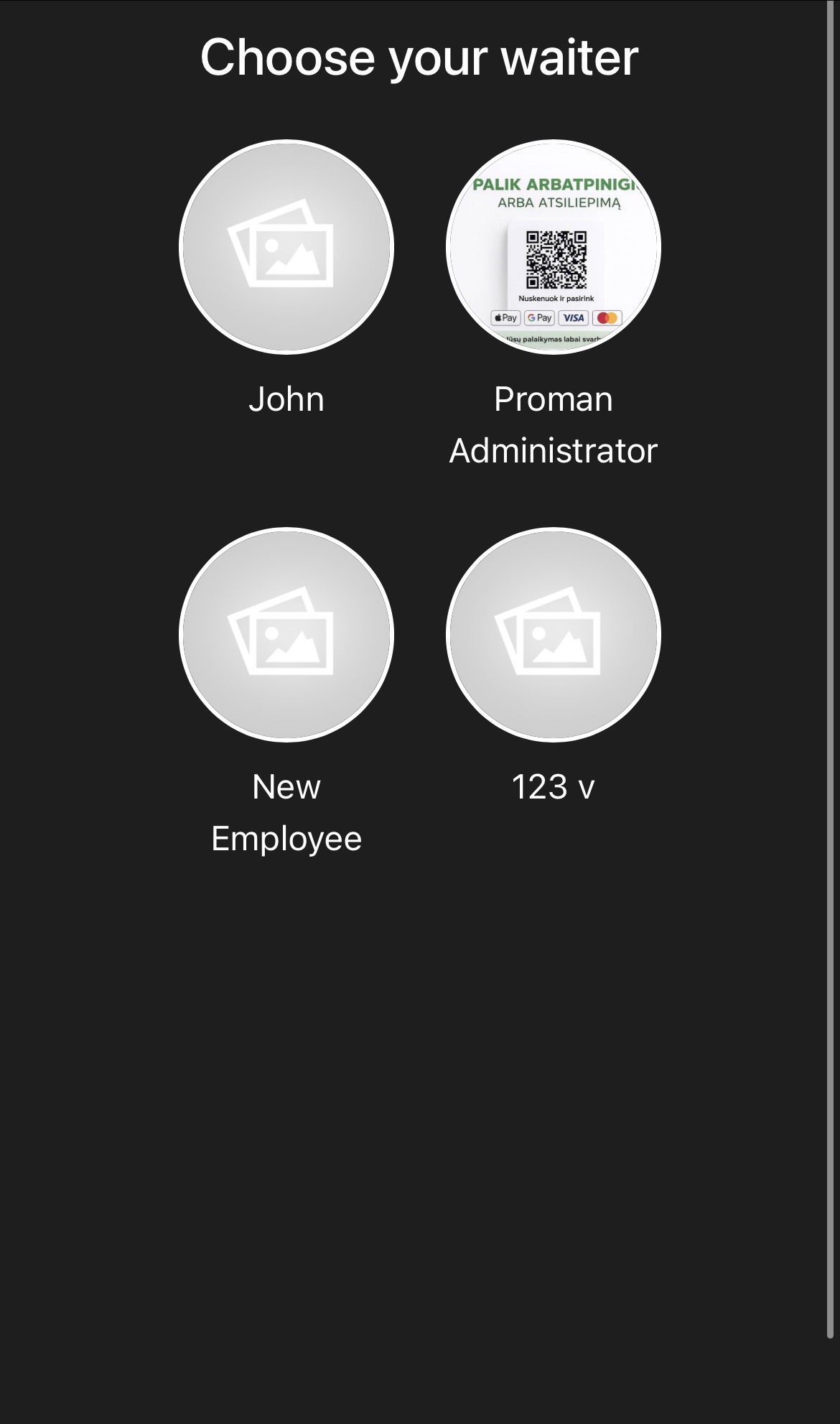
1.https://domain.smarton.app/pospublic/tips in here you will see all employees which are eble to get tips
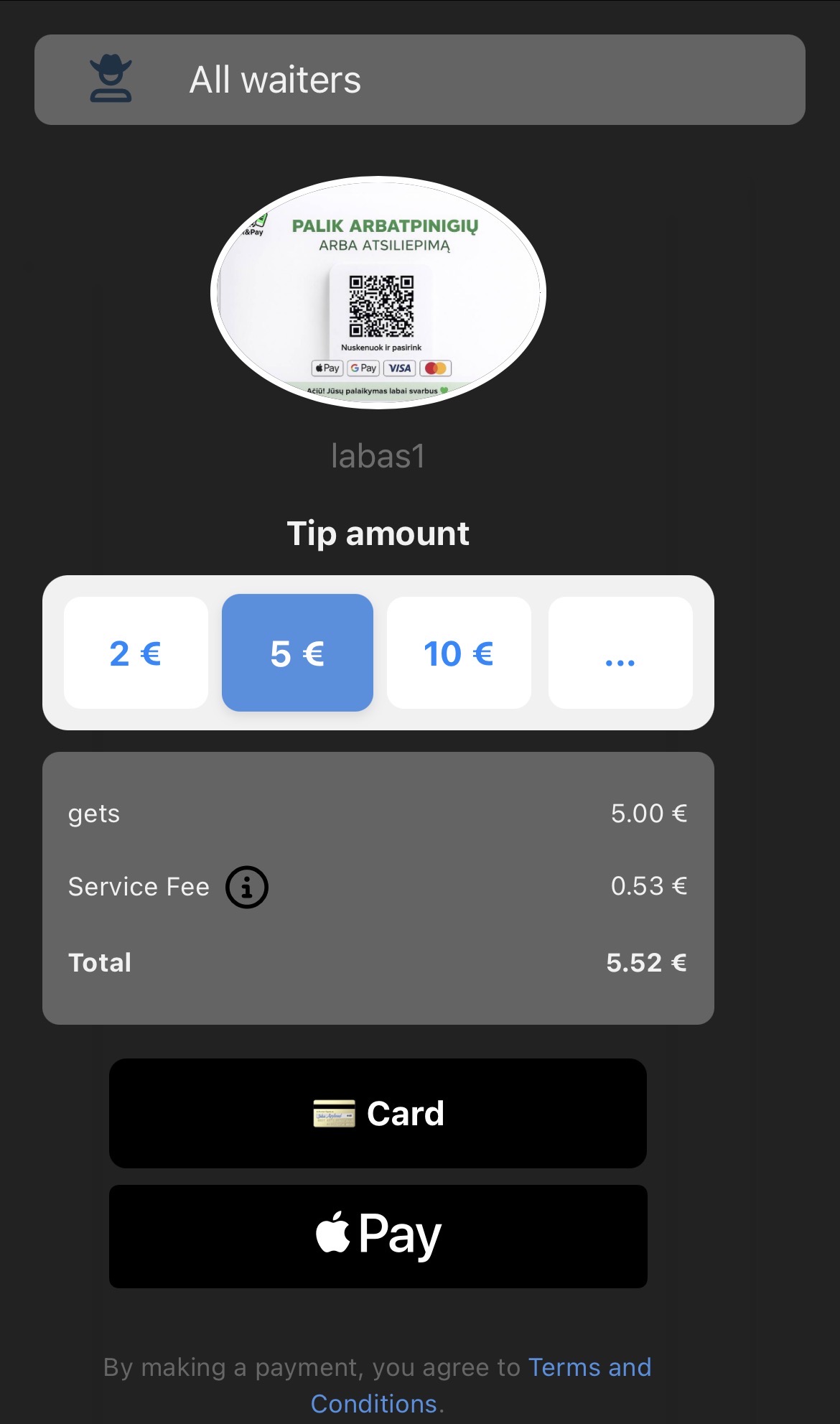
2. https://domain.smarton.app/pospublic/tips/{employee id} you will see employee card where to leave a tip. on iPhones there will be a button for Apple Pay and for androids who can accept Google pay it will show Google pay button by default. There’s always a card button where you can type your card information to take money.
* detectives out the waiter has to download the app Qrandpay staff there’s an app on Apple store and Google play store. User has to type his phone number to which he will get verification code. Then he can take his tips out after three day period
2. Charity/donations functionality
https://domain.smarton.app/pospublic/charity you will be able to leave 5, 10, 20 or custom amout as a donation to the user. After pressing pay button, it will redirect you to accept e-commerce page where you can leave payments by card Apple Pay Google pay and bank links.
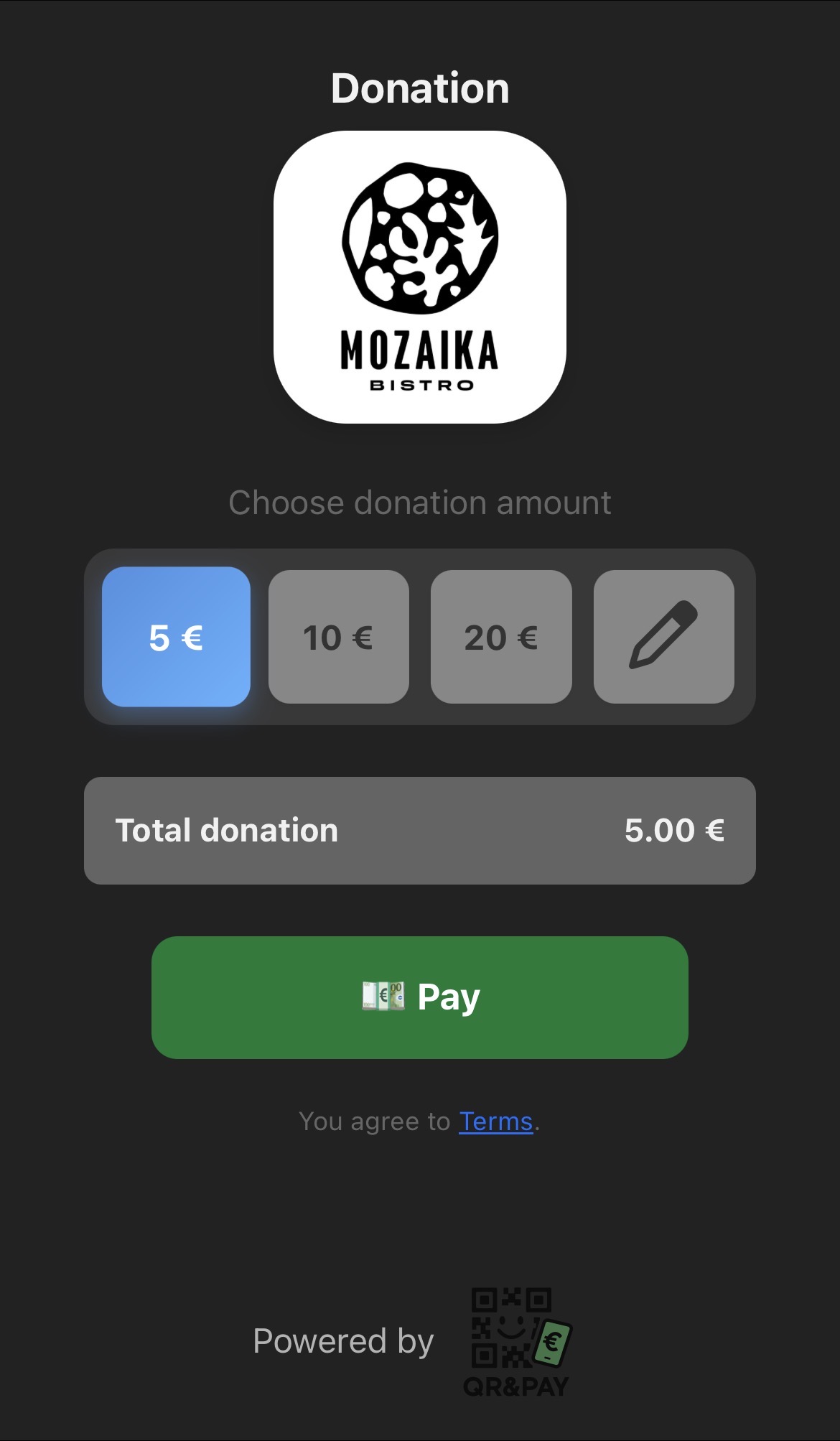
* charity functionality works only with SEB ecom integration.