Dynamic fields
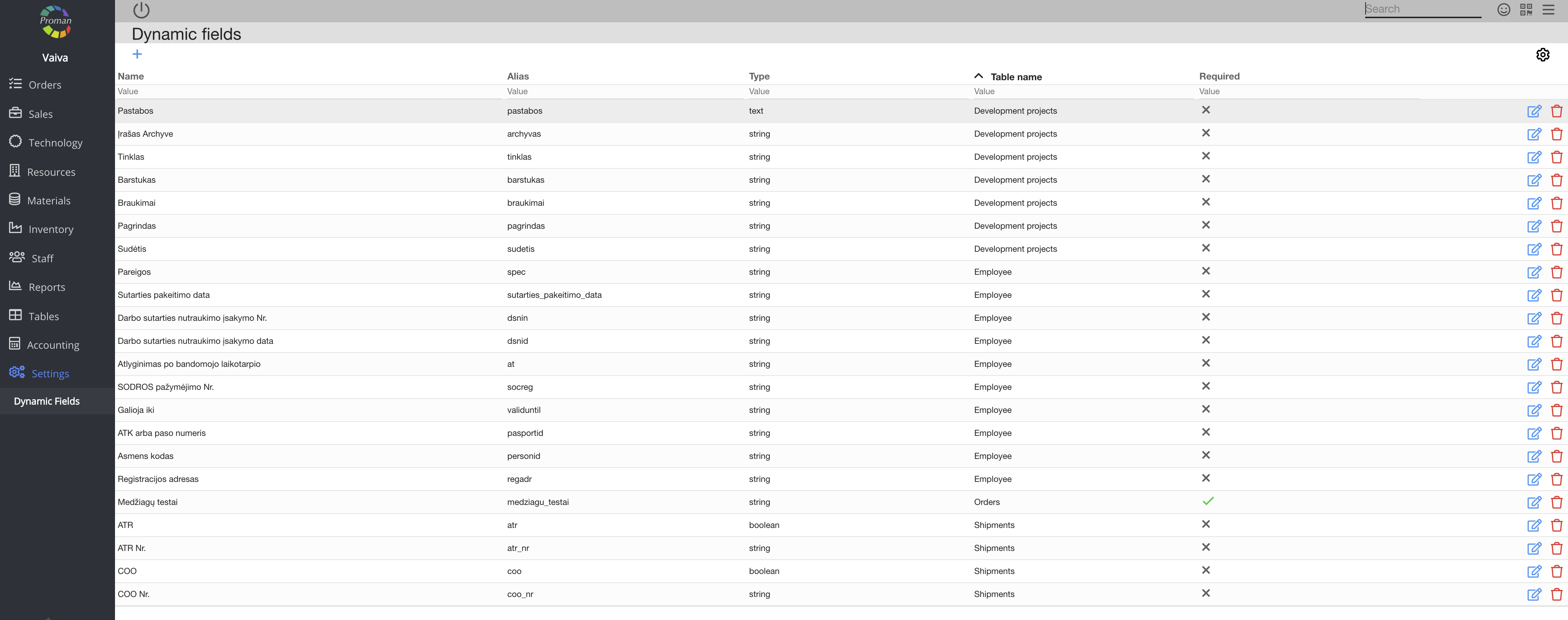
Here you can create and manage additional fields that are necessary for you in all areas in PROMAN. For example, Employee Options, Product Options, Article Tests and so on.
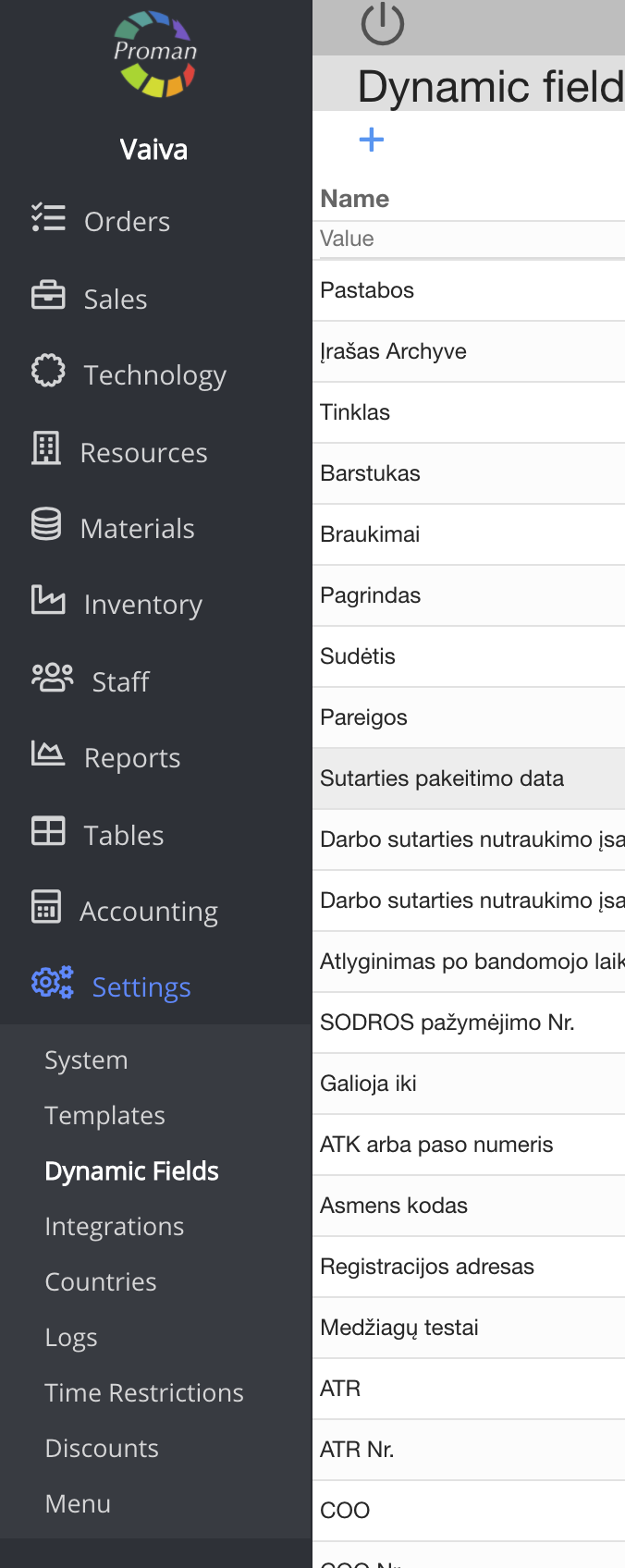
To find dynamic fields:
1. Go to

2. Then-

Now you can see the list of dynamic fields:
To create a new dynamic table:
1. Click on

2. In the dialog table:
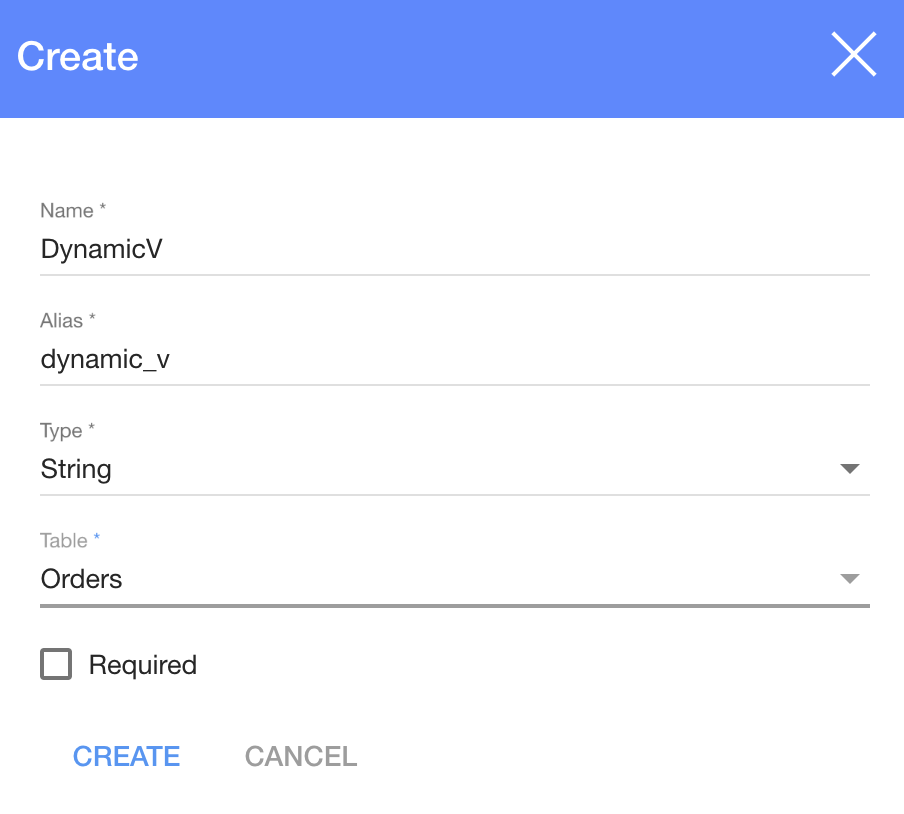
2.1. Enter a name;
2.2. A type;
2.3. Choose a table:
- Orders;
- Production;
- Sale opportunity project
- Customers
- Materials
- Order Proposal
- Employee;
- Sales Event;
- Suppliers;
- Table booking
- Customer Employees
- Development projects
- System Options;
- Invoices;
- Products;
- Articles;
- Shipments;
- Purchase orders;
- Carriers
2.4. Choose if it is required (click on
Basic parameter functionality: | |

| Button | What does it indicate? |
 | You can edit the parameter (if you edit the dynamic field order, it will affect all users) |
 | You can delete the parameter |
You can choose a dynamic field type:
| Type | What does it indicate? |
| Number | You can choose to enter only numbers |
| String | You can choose to enter text of max. 256 symbols |
| Multiple lines | You can choose to enter long text |
| Yes/no | You can choose to enter 'Yes' or 'No" |
| List | You can choose to enter a list (text till 256 symbols each) |
| Dropdown | You can choose to enter a list (text till 256 symbols each) |
| Datetime | You can choose to enter date and time |
| Duration | You can choose to enter duration by hours, minutes and seconds |
| Parameter group | You can choose to enter different/same types parameters in one group |
| Resources | You can choose to enter workplaces that have resources parameter default operation. If you want to use resources parameter in the article, you need to add resources parameter default operation in the article operations. |
| Material | You can choose to enter materials from the store |
| Material Category | You can choose to enter parent material categories that have sub categories |
| Subcontractors | You can choose to enter a list of operations |
| List price | You can choose to enter currency |