New Periodic Listener notification
Periodic listener notification (Inform Unpaid Invoice)
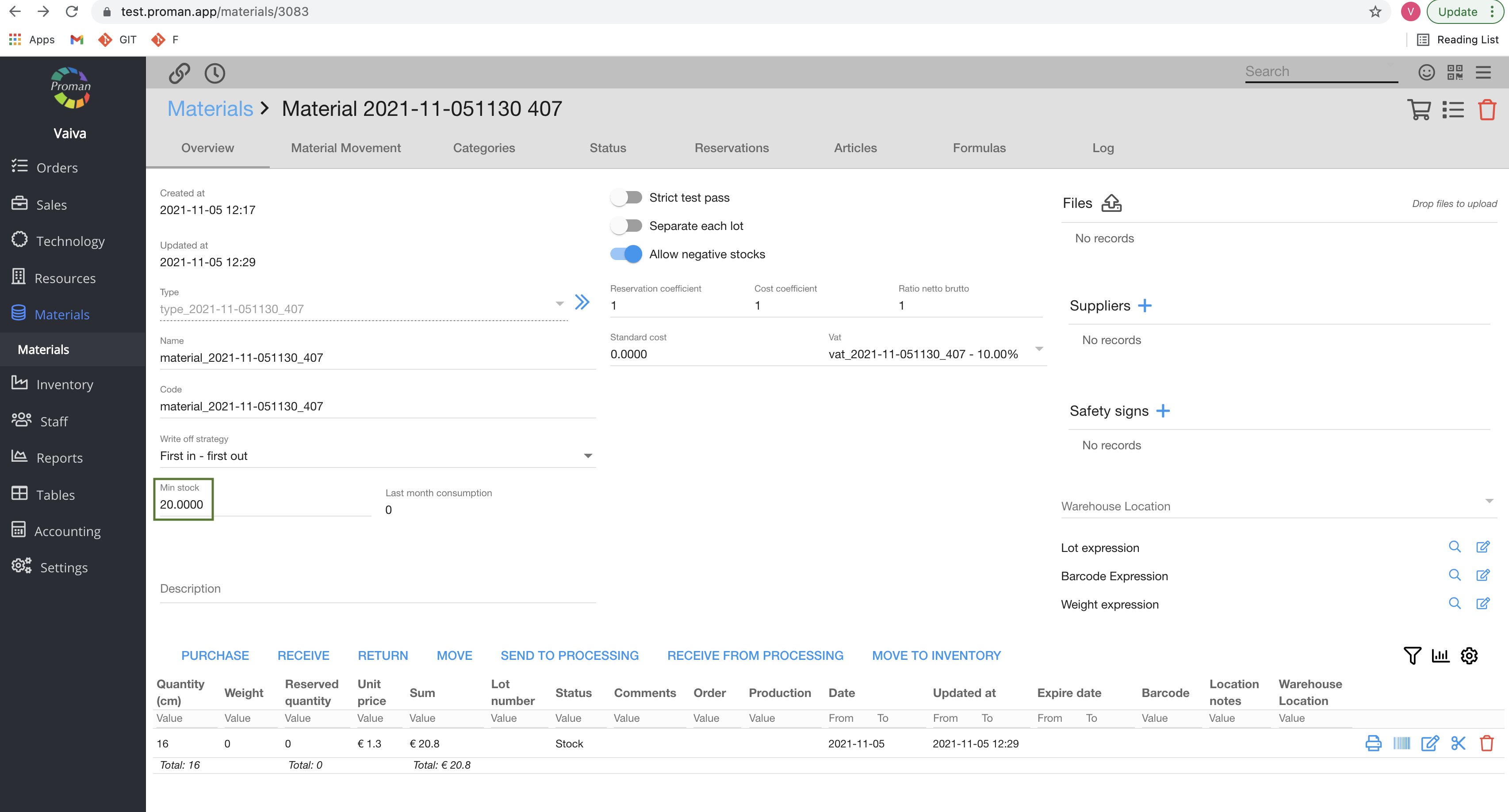
How to get notification about critical quantities of Materials?
How to find the Notifications? |
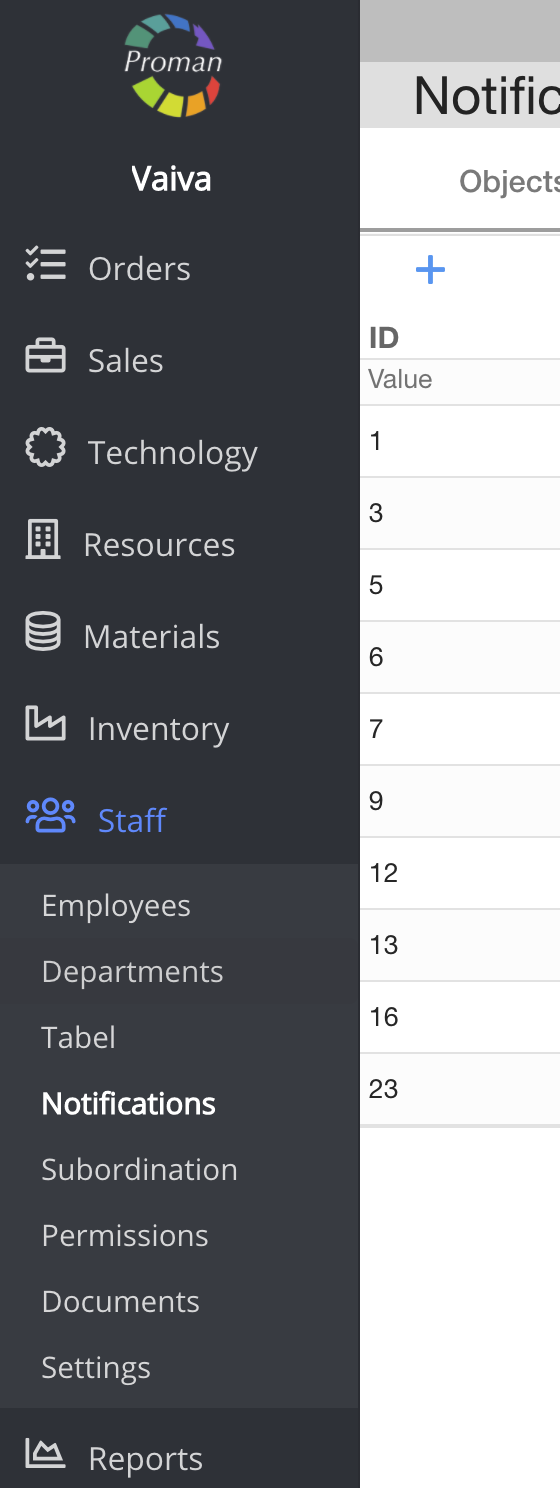
To find Employees Notifications, you should:
1. Go to Staff:
1.1. Click on 
1.2. Then-
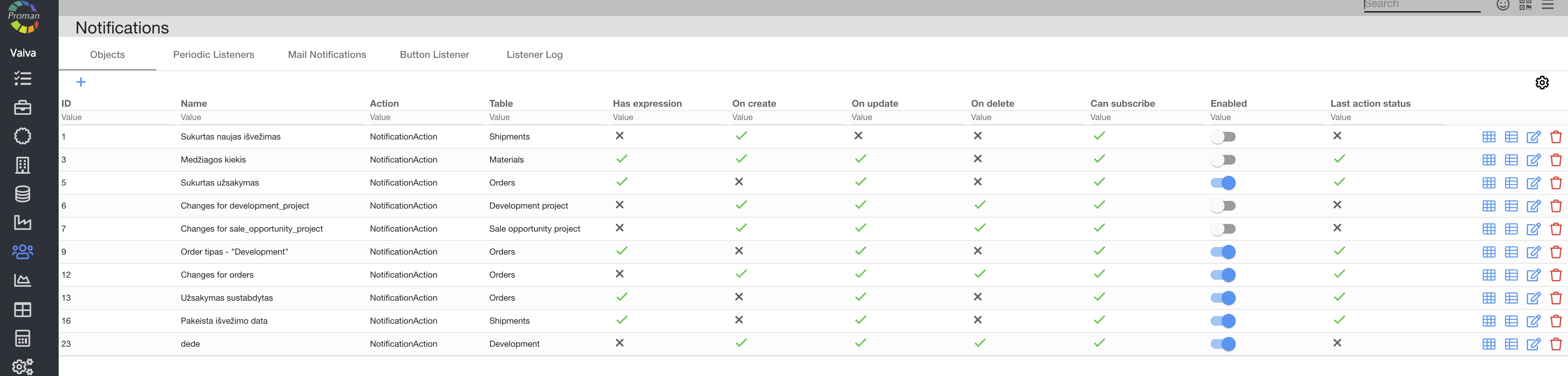
Now you can see the notifications list (Objects):
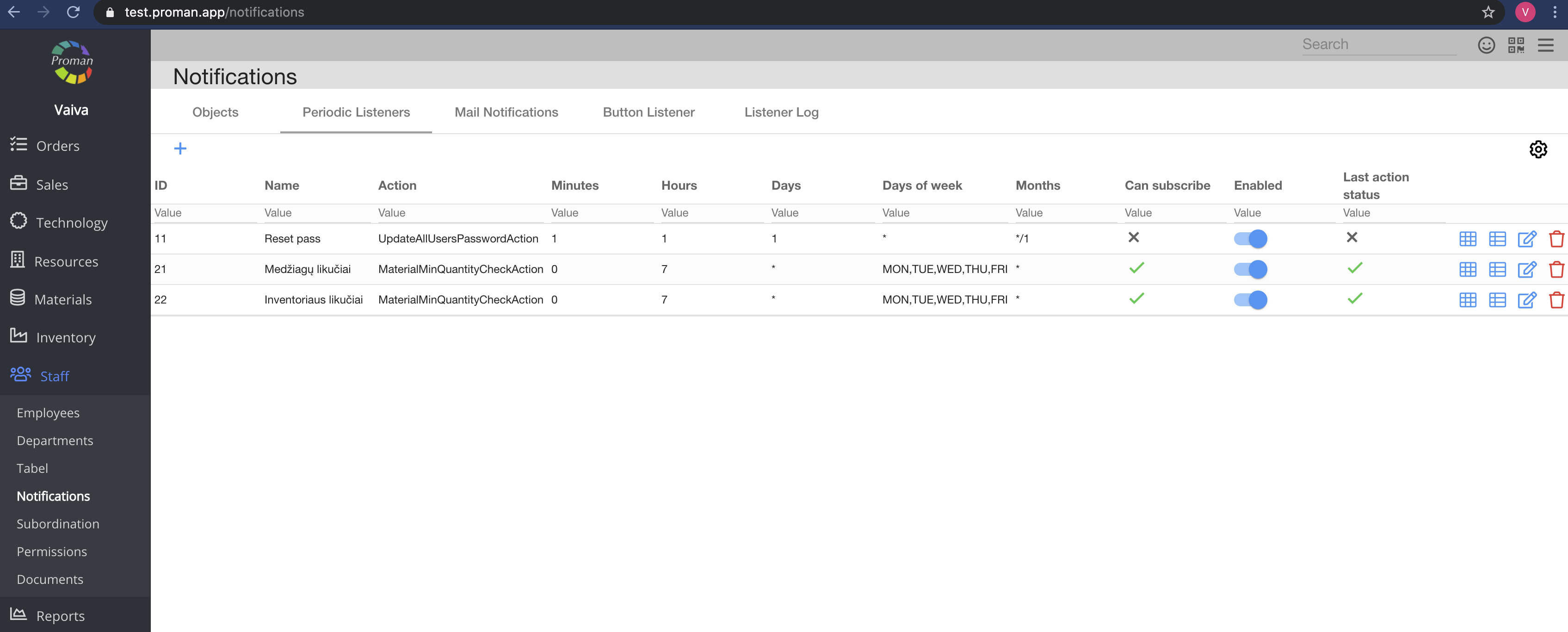
2. Click on the

Now you can see the list of periodic listeners
How to create a new Periodic listener notification? (Inform Unpaid Invoice) |
To create a notification:
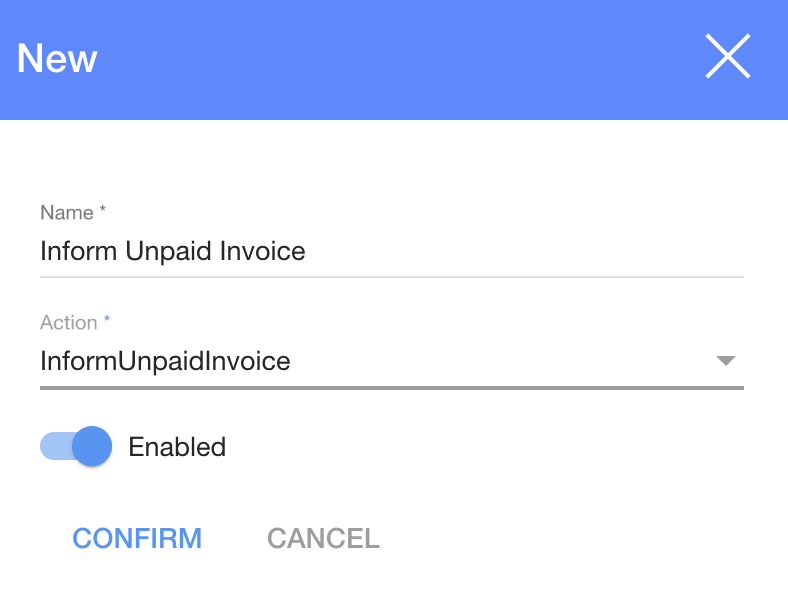
1. Click on 
2. In the dialog table:
2.1. Enter a name;
2.2. Choose an action;
2.3. Enable (

3. And click on

Now you can see the notification settings
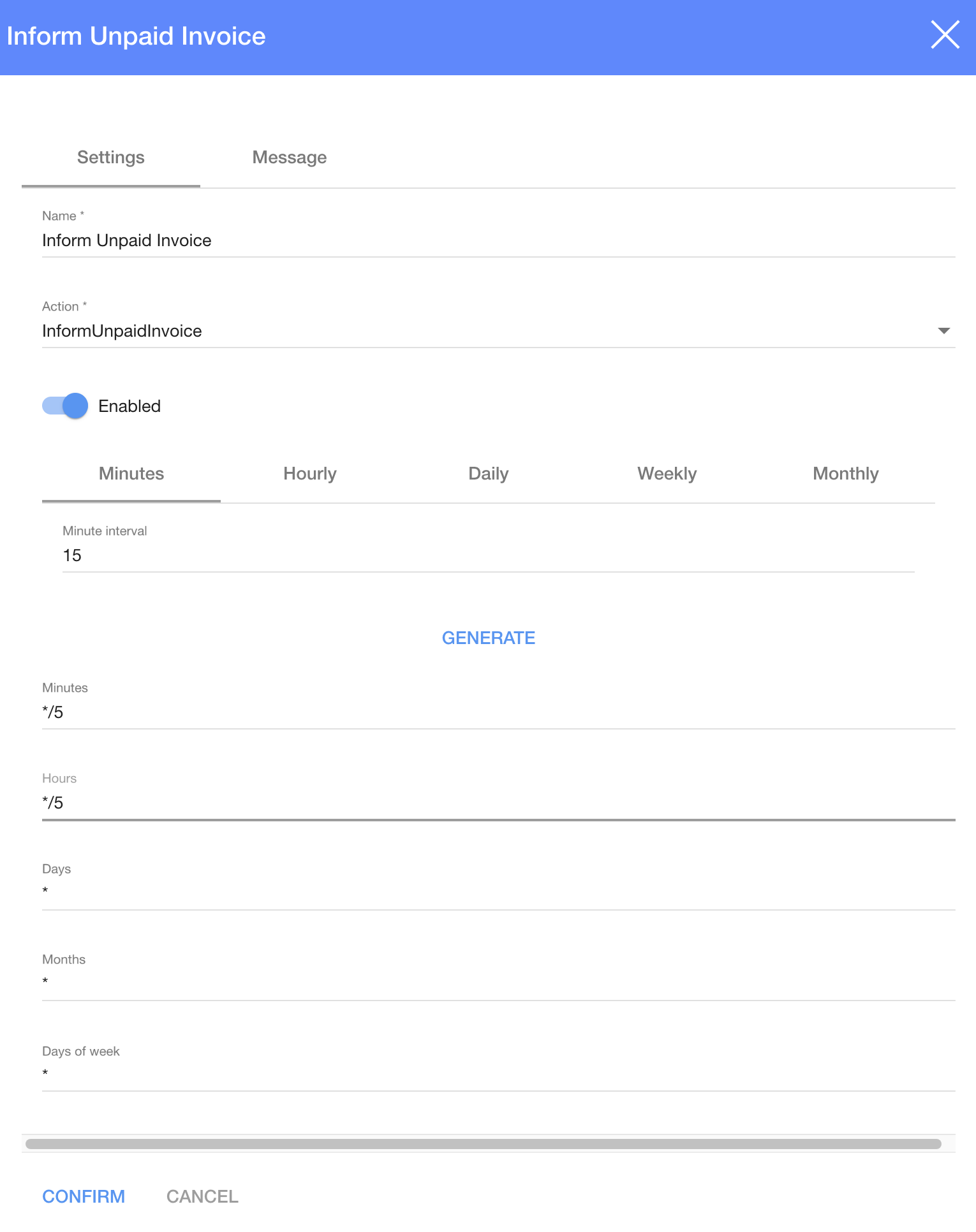
4. Set up a time when you want to inform Customers, about an unpaid invoice (and how often would you like to send it)
Note: This action will not send an email, if the invoice is proforma or invalidated.
How to set up frequency?
| Button | What does it indicate? |
| */5 | Every 5 days/hours/minutes |
| * | Every day/hour/minute |
For more information on how to set time, please visit here
5. Click on 
Now you can see the notification message
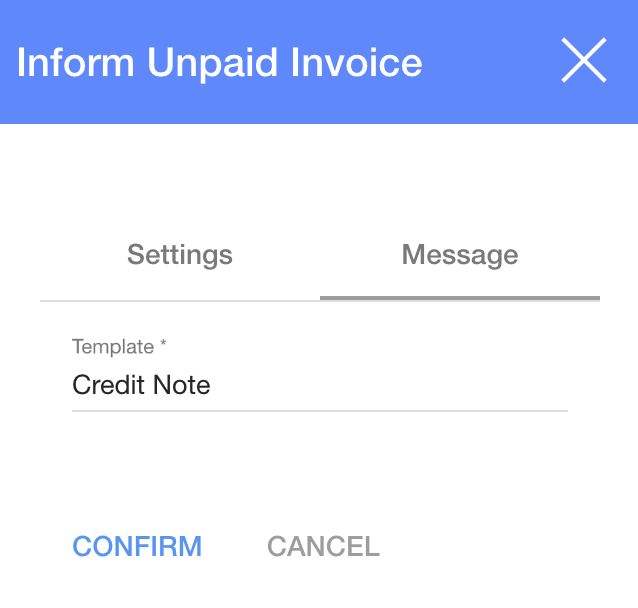
6. Choose a template from the list
7. And click
How to get a notification about the critical quantities of Materials? |
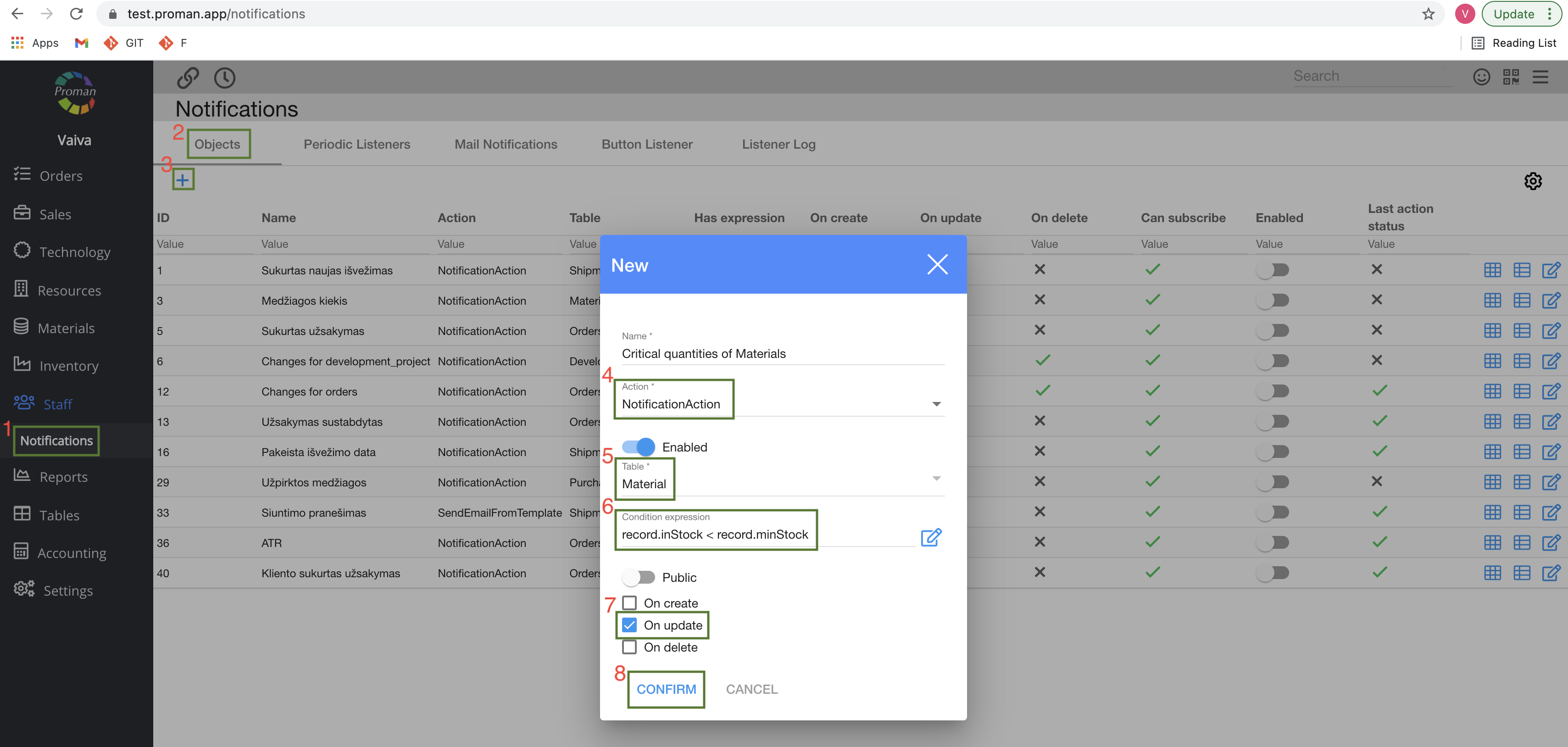
1. Click on 
2. Choose 
3. Click on
4. Choose an action (NotificationAction)
5. Choose a table (Note: if you can't see it, you just need to activate that Table. How to activate the table? You should go to Materials table (https://yourDomain.app/materials) and then repeat all three steps which you can see above).
6. Enter an expression (record.inStock < record.minStock)
7. Check 
8. And click

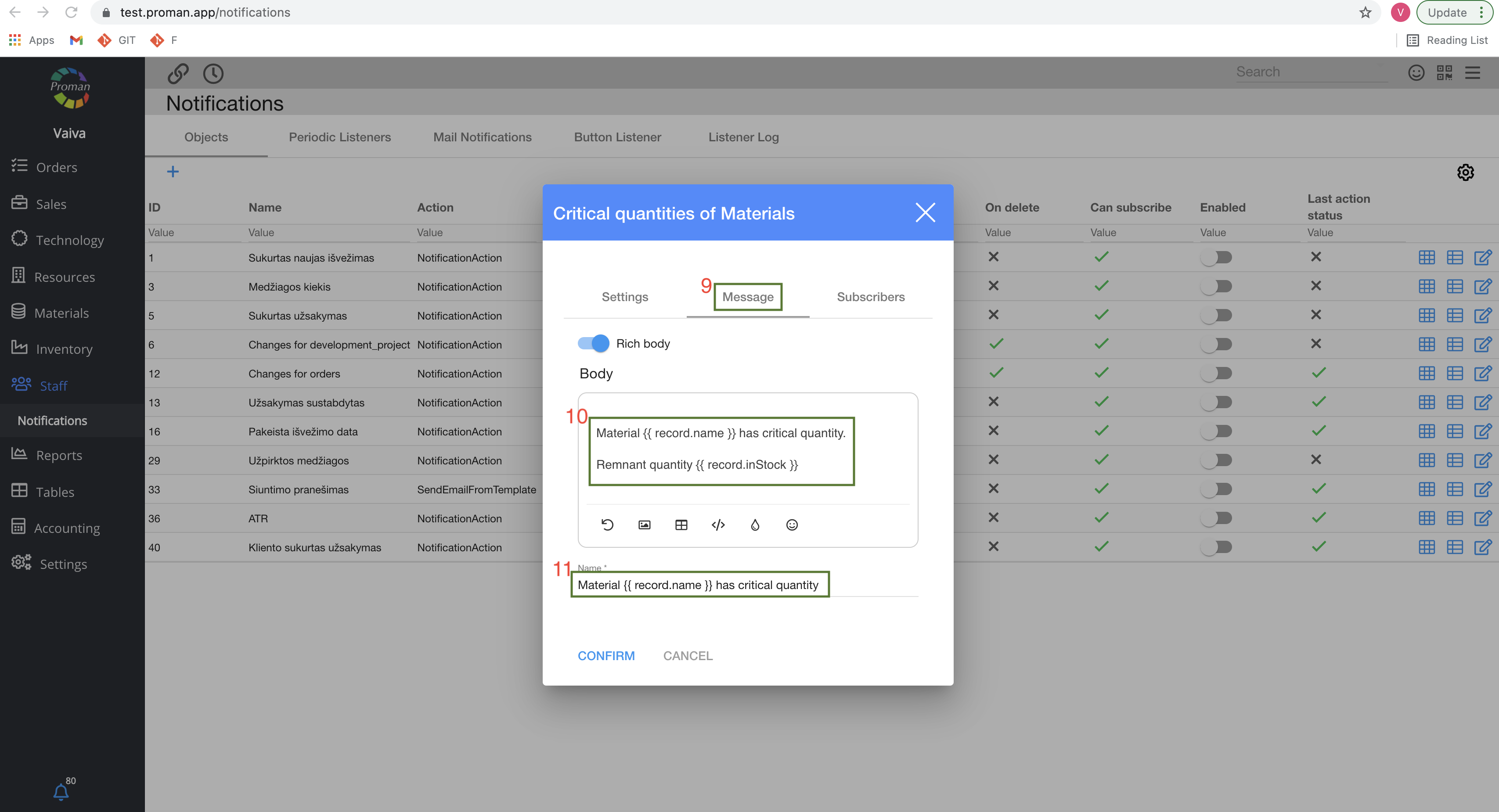
9. Then click on 
10. Enter email body (Material {{ record.name }} has critical quantity. Remnant quantity {{ record.inStock }} )
11. Enter email Subject (Material {{ record.name }} has critical quantity)
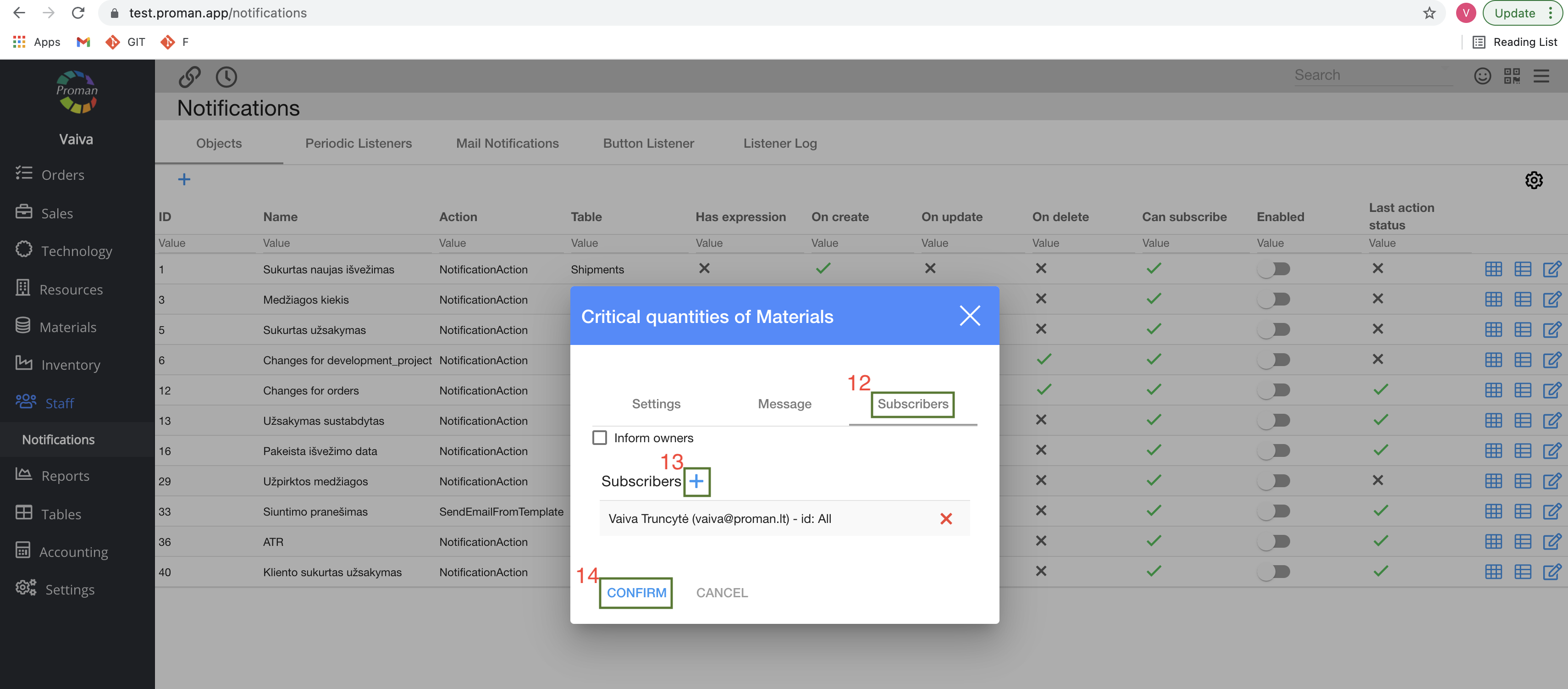
12. Go to 
13. Click on 
14. And click
Note: You should also enter a minimum stock in the material.