Template context
| There are many different template contexts for various purposes. Each one has a different usage: the required context can only have their own templates. Separation of contexts allows user to have different templates for different types of usages: some for invoices, some for shipments, some for products barcodes, etc. |
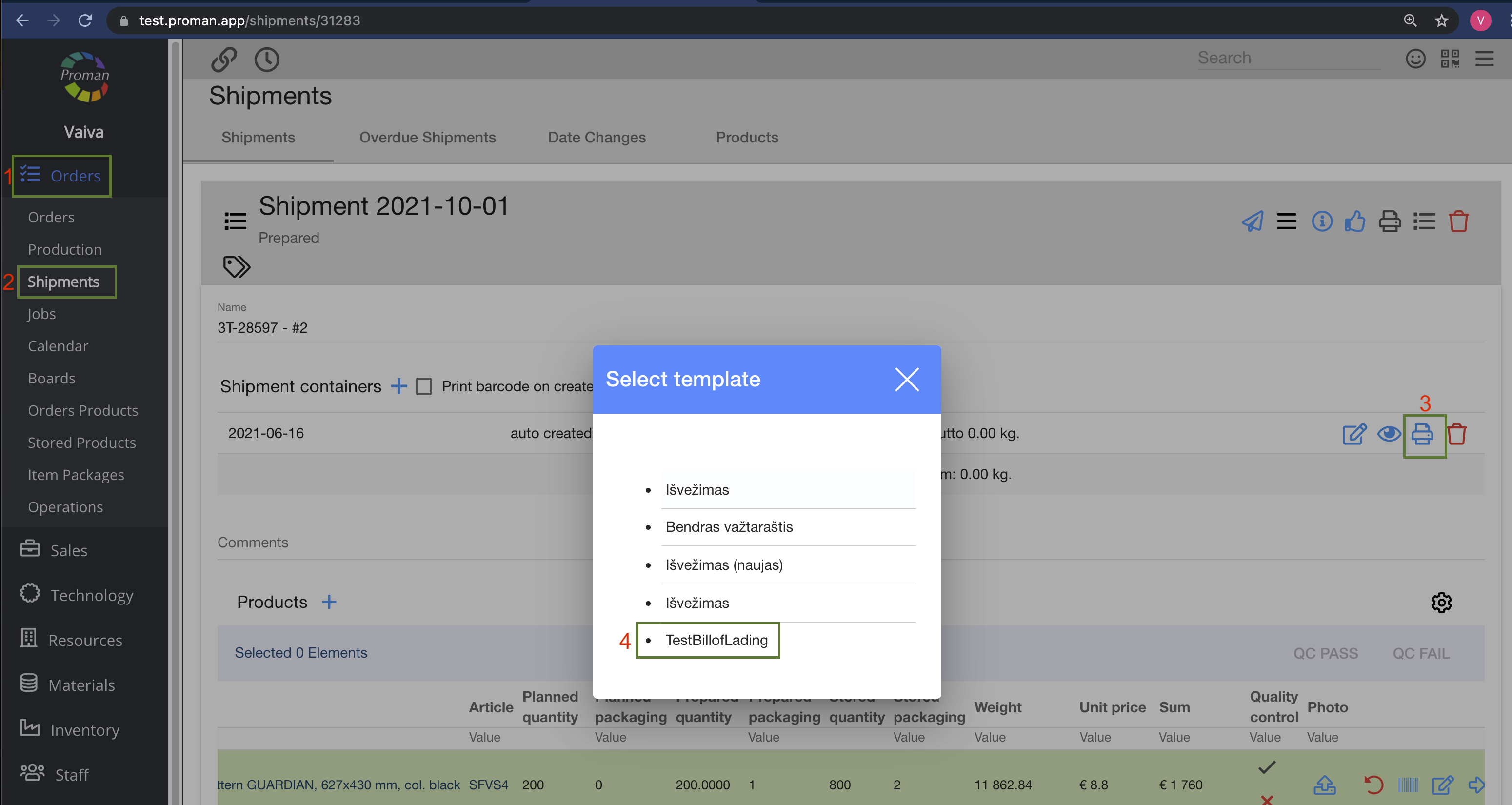
Bill of lading
Orders -> Shipments -> Choose Shipment -> Shipment containers -> 
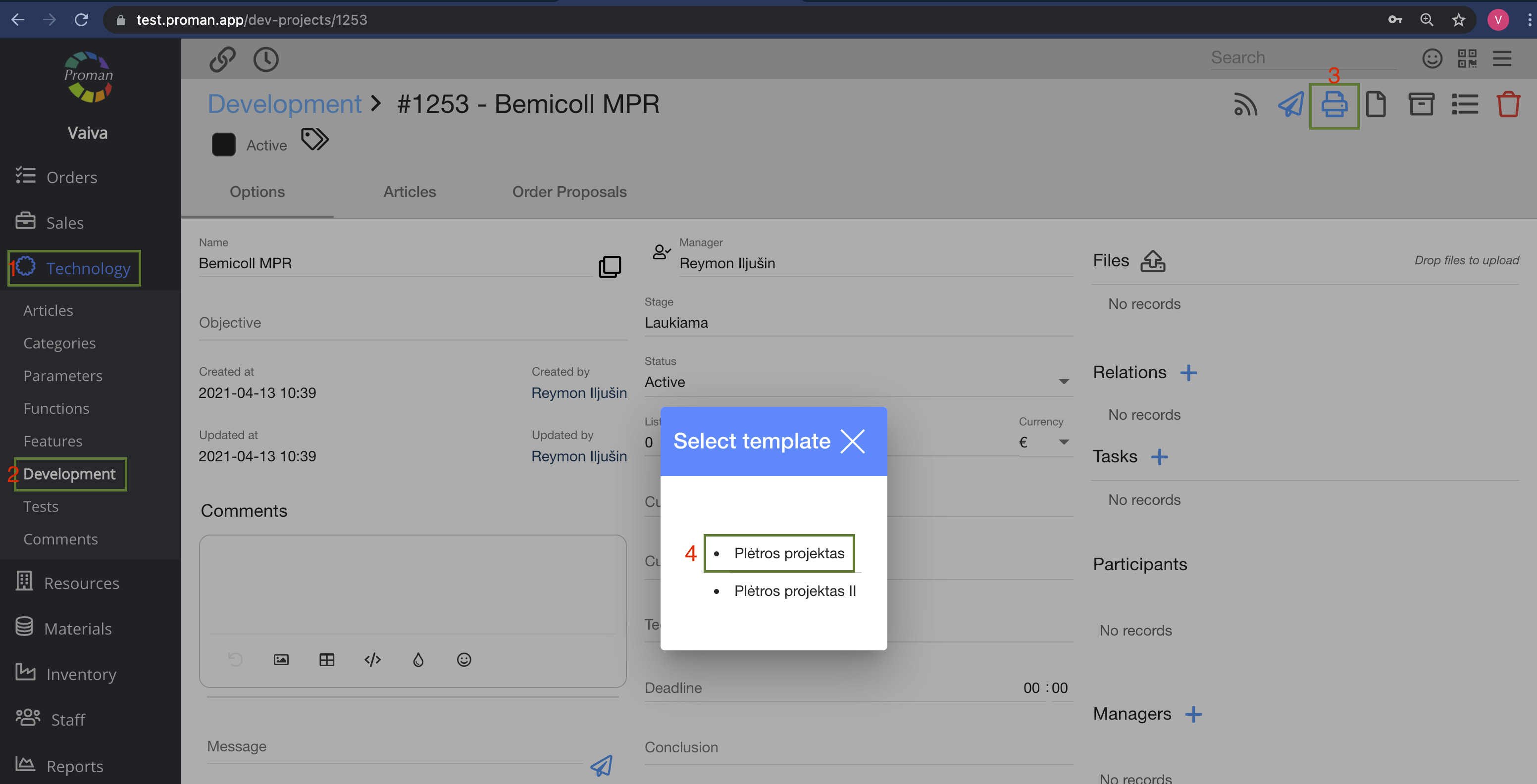
Development
Technology -> Development -> Choose tasks -> Grey table ->
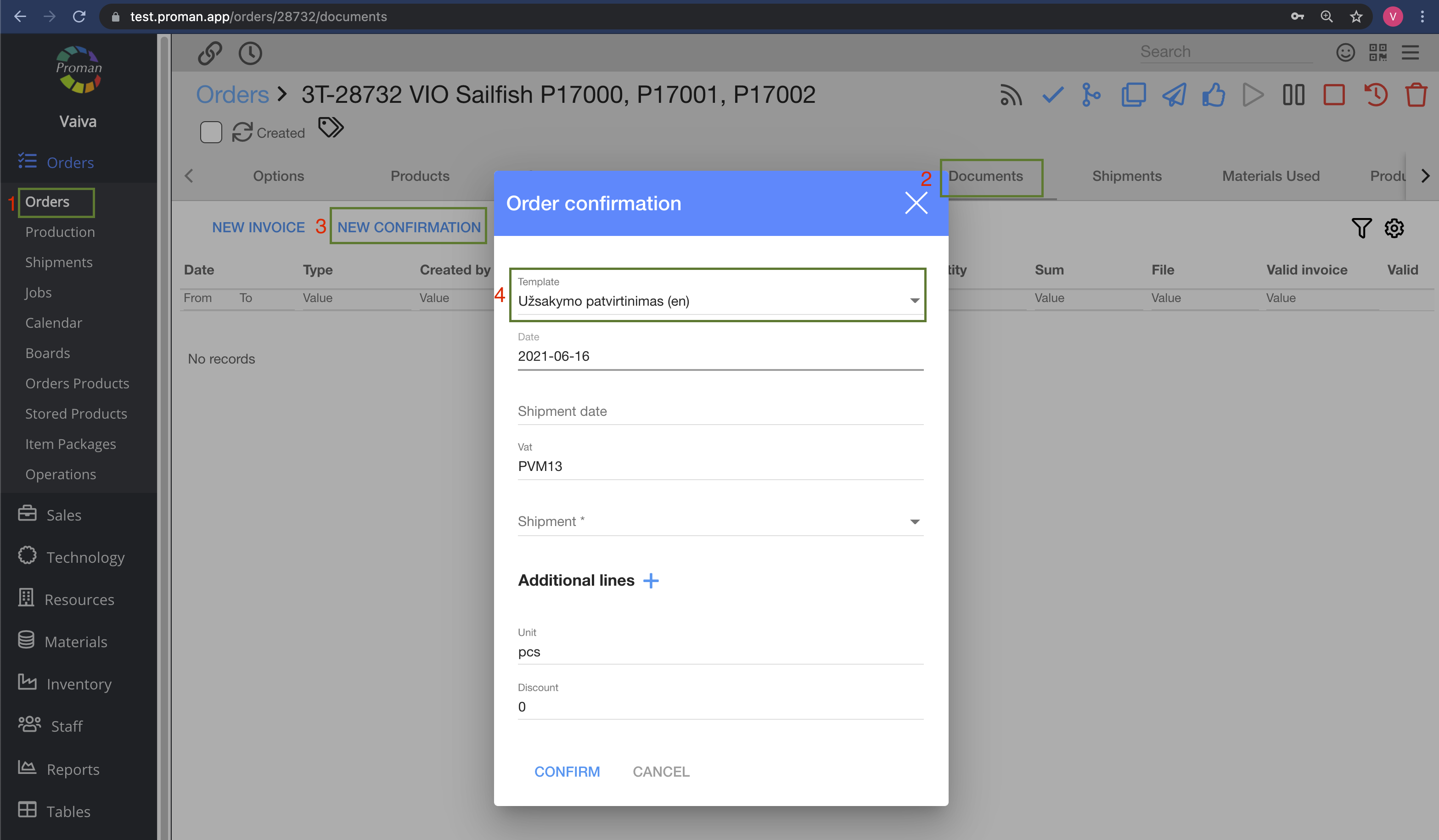
Order Confirmation
Orders -> Production -> Choose product -> Order (in grey table) -> Documents (in grey table) -> NEW CONFIRMATION -> Template
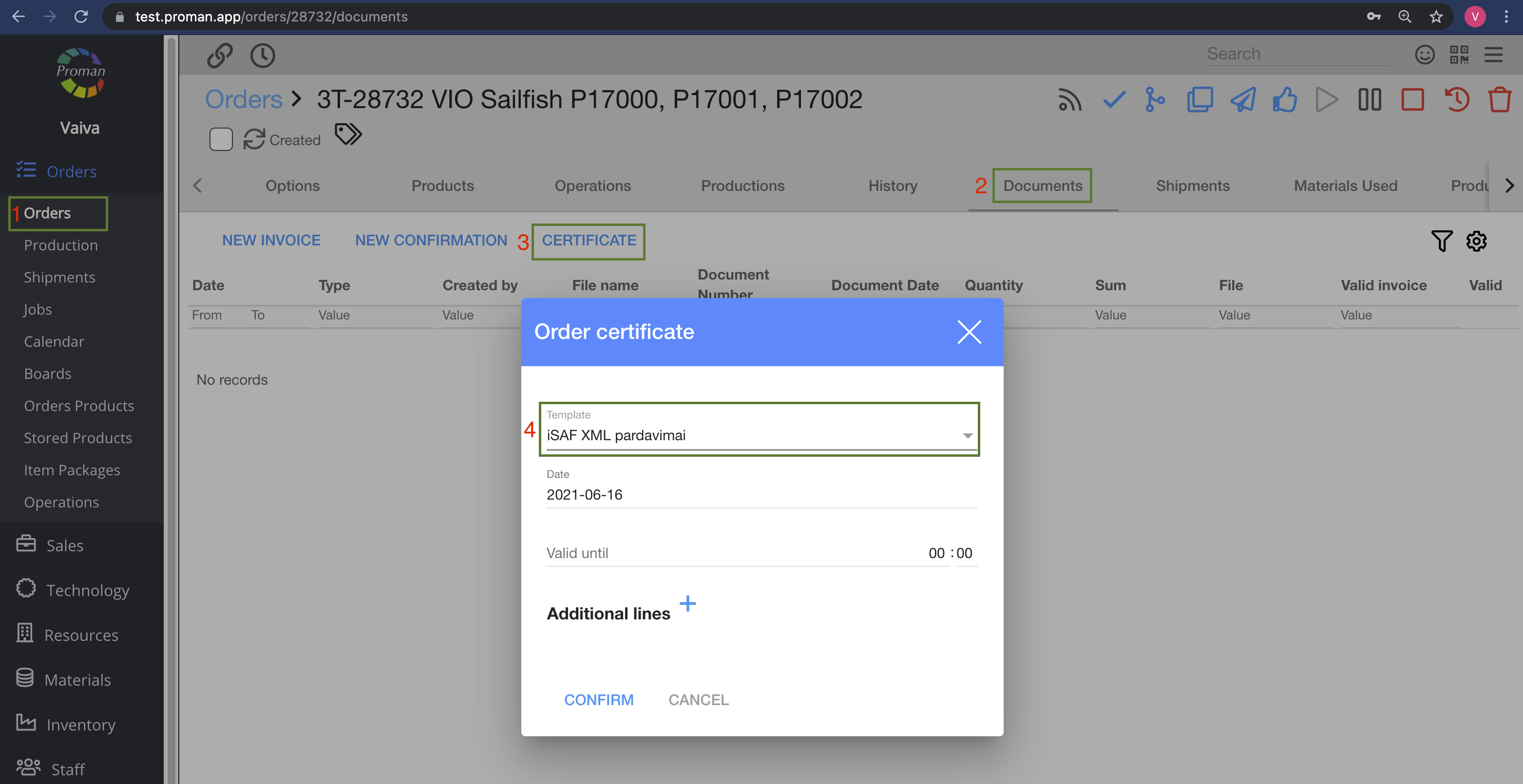
Certificates
Orders -> Productions -> Choose product -> Order (in grey table) -> Documents (in grey table) -> CERTIFICATE -> Template
Invoice
Orders -> Production -> Choose product -> Order (in grey table) -> Documents (in grey table) -> NEW INVOICE -> Template
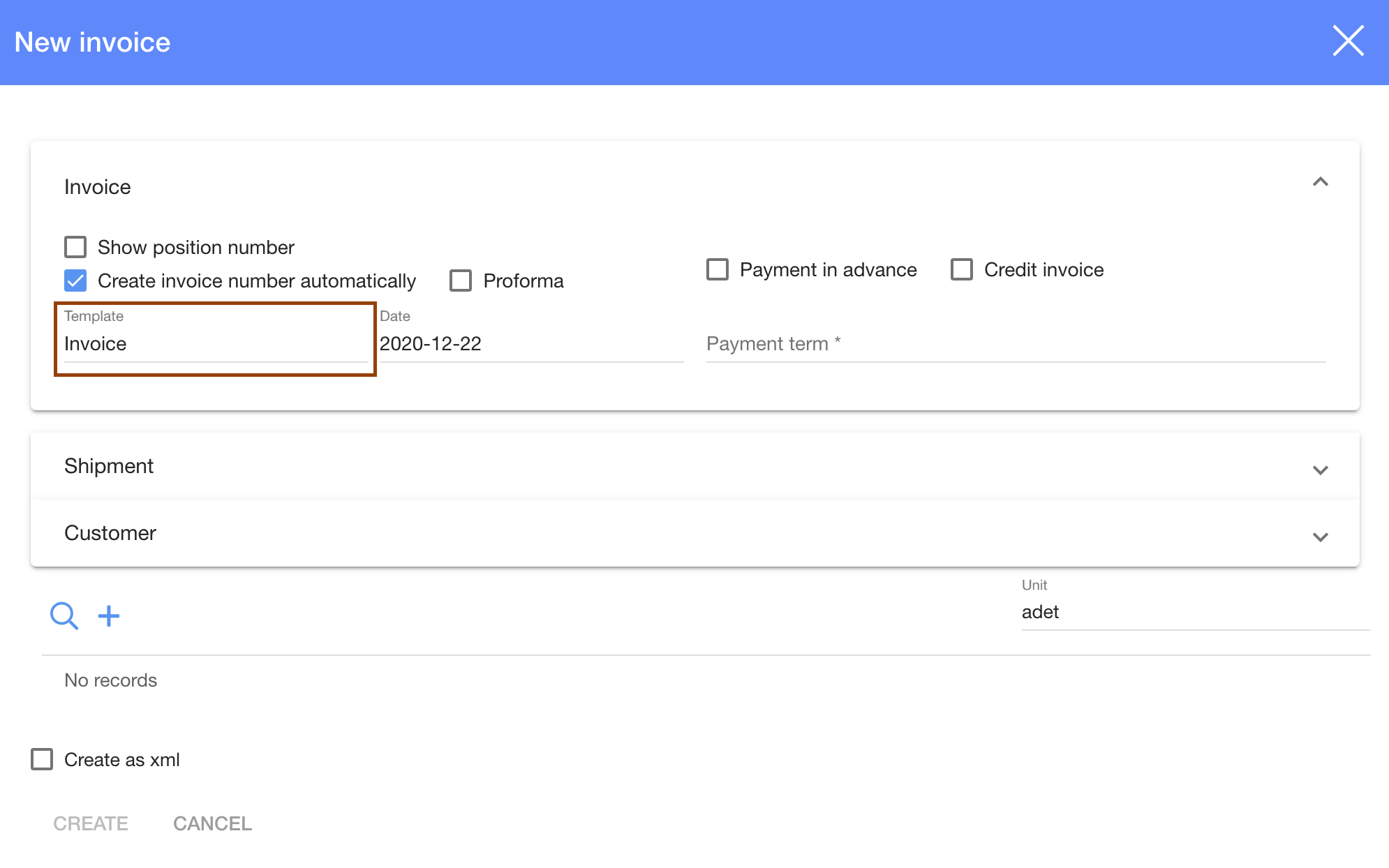
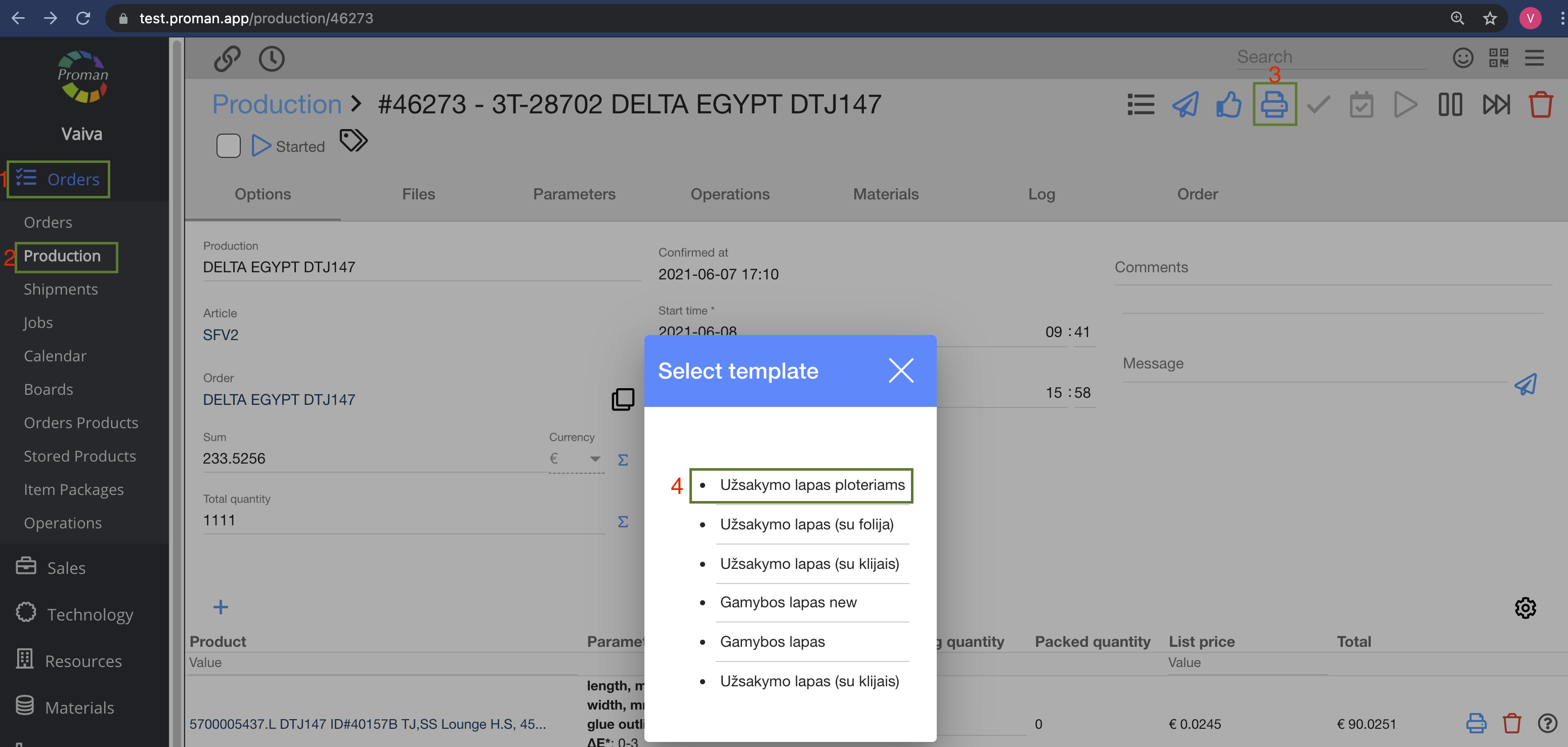
Production
Order -> Productions -> Choose production -> Grey Table ->
Order Proposal
Orders ->

Employee Contract
Staff -> Employees -> Choose employee -> 
Purchase order
Material -> Purchase -> Choose Purchase -> Grey table

Production list
Orders -> Productions -> Choose product -> Order (in grey table) -> Productions (in grey table) -> PRINT LIST

Shipment list
Orders -> Shipments -> Choose Shipment -> 

Bill of container
Orders -> Shipments -> Choose Shipment -> Grey table -> 
Technology description
Technology -> Articles -> Choose Article -> Technical Information ->
Pos Daily report
Sales -> Pos -> Input User name and Password -> 

Consumer booking confirm
Sales -> Table -> Reservations -> Edit (it is not working now)
XYZ (Manager) reports
Accounting -> Payments -> Cash Registers -> PRINT XYZ -> Template

Accounting report
Accounting -> Reports -> REPORT
