
 English
SEB every-pay integration

SEB platform production: https://portal.ecommerce.sebgroup.com/users/login
SEB platform test: https://mwt-seb-demo.every-pay.com/users/login
How to add seb tokes:
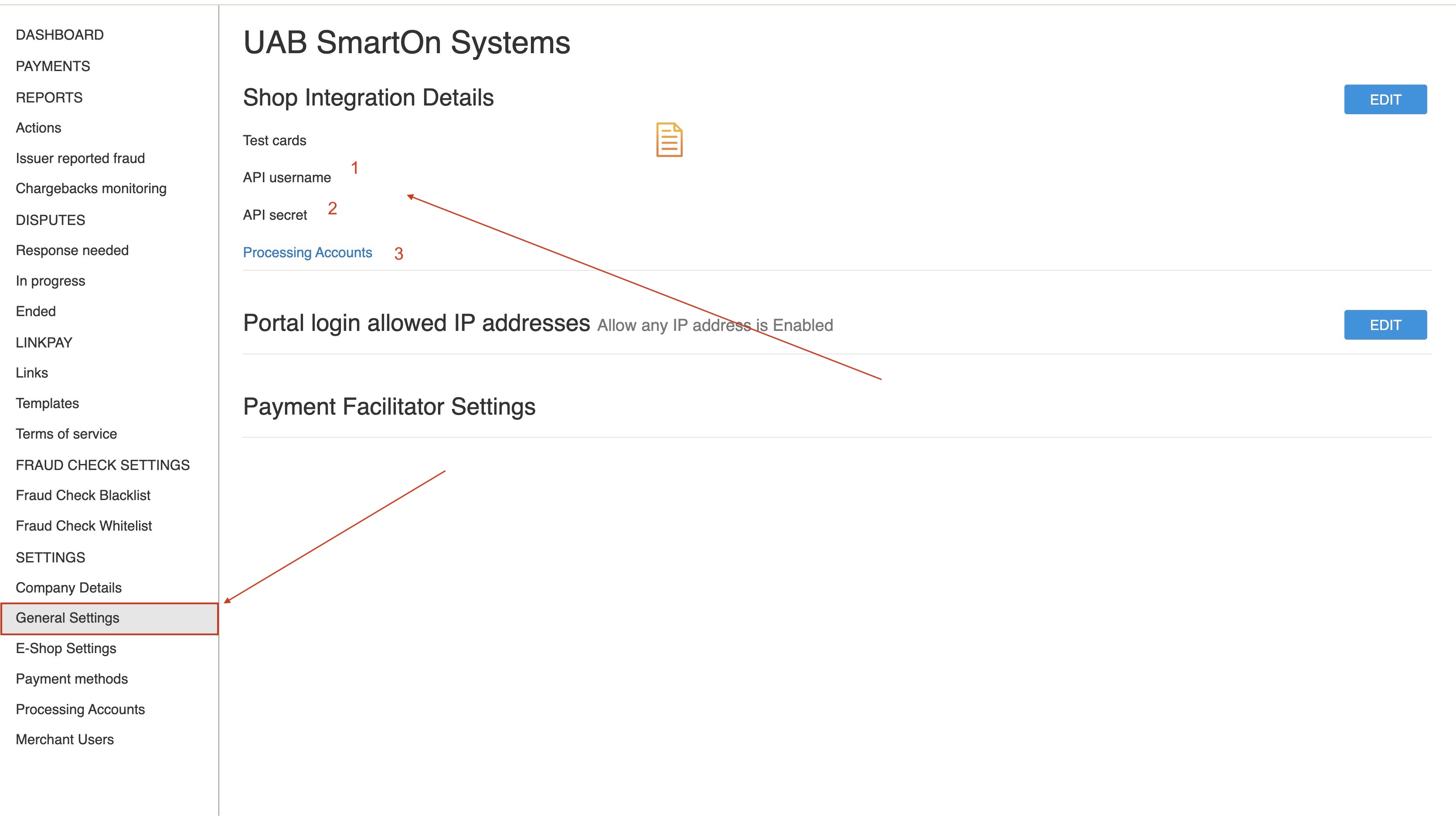
On gateway page go to the general settings tab. there you will see API username, API secret and Processing Accounts those values you have to copy to the program:
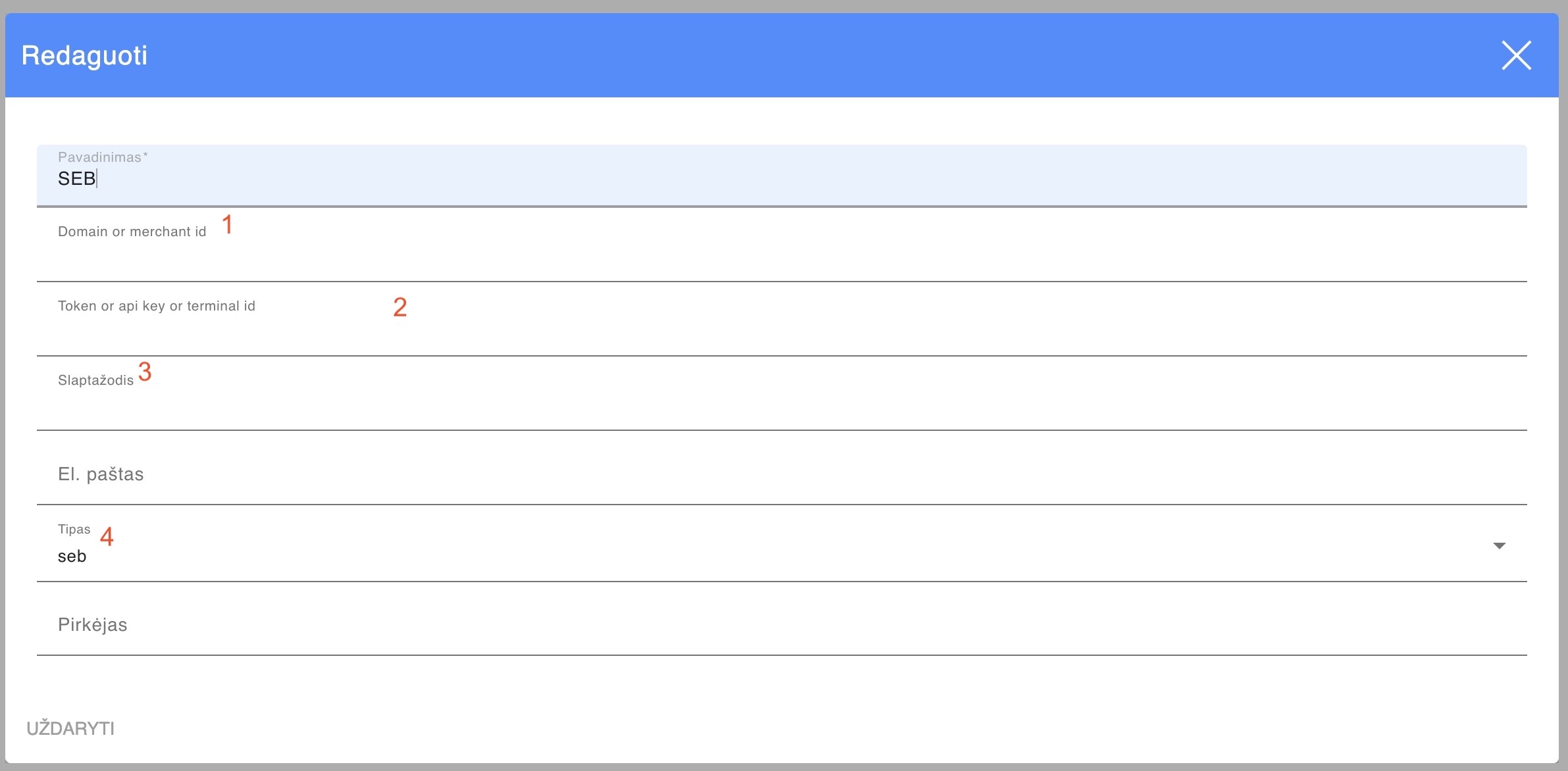
1. API username goes to Domain or merchant id
2. API secret goes to Token or apikey or terminal id
3. Processing Accounts got to Password
Go to https://{domain}.smarton.app/system-settings/integrations/connections press plus icon and add the seb provider
How to add seb payment webhook:
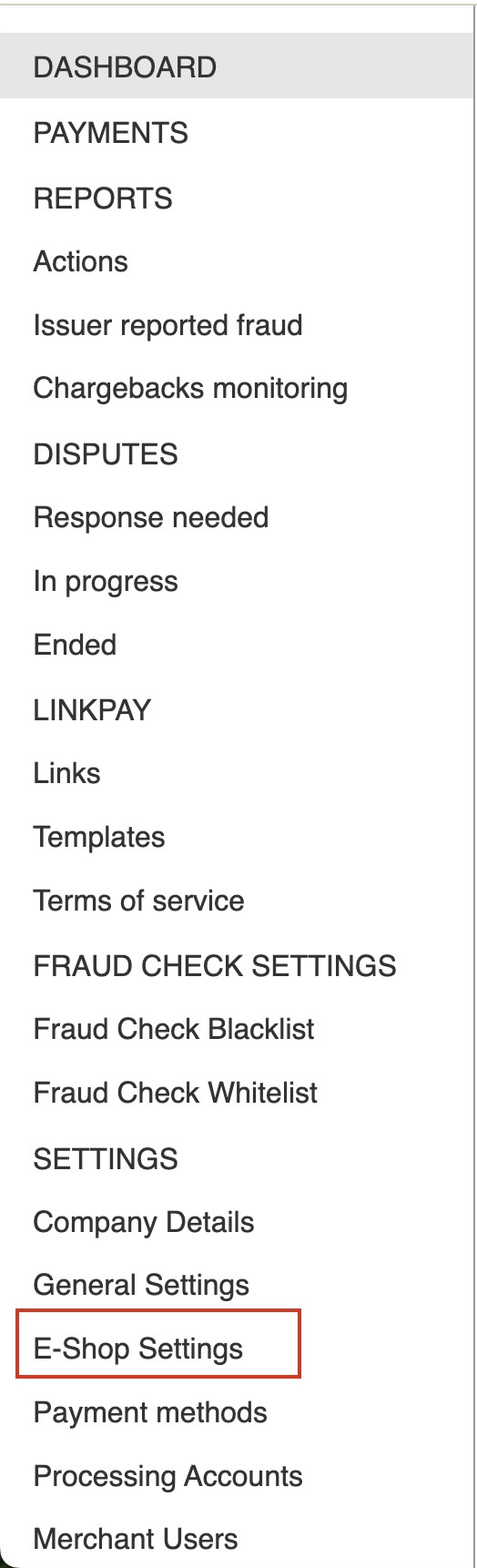
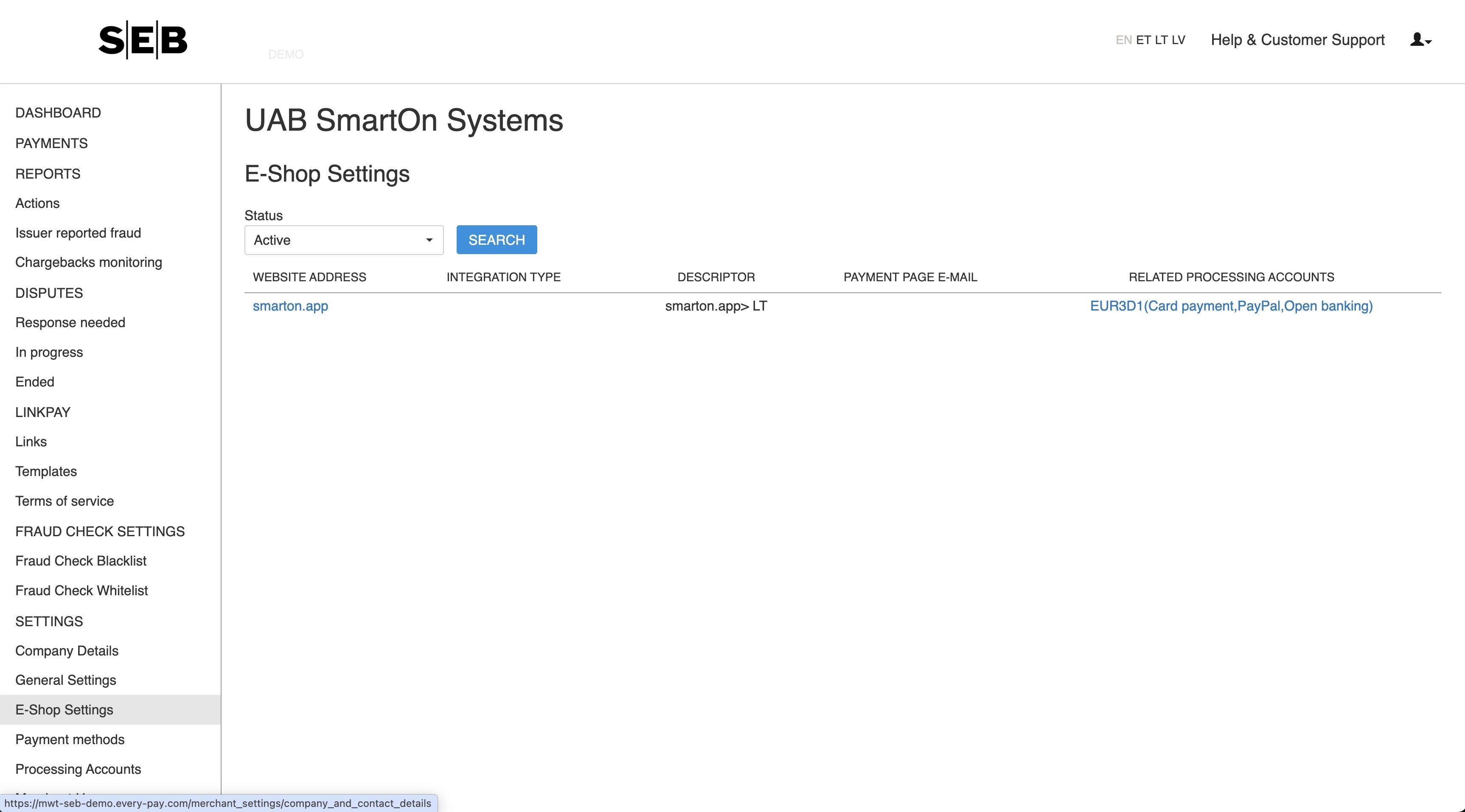

https://domain.smarton.app/api/public/online_payments/seb/webhook