Project manage
| How to to find projects? |
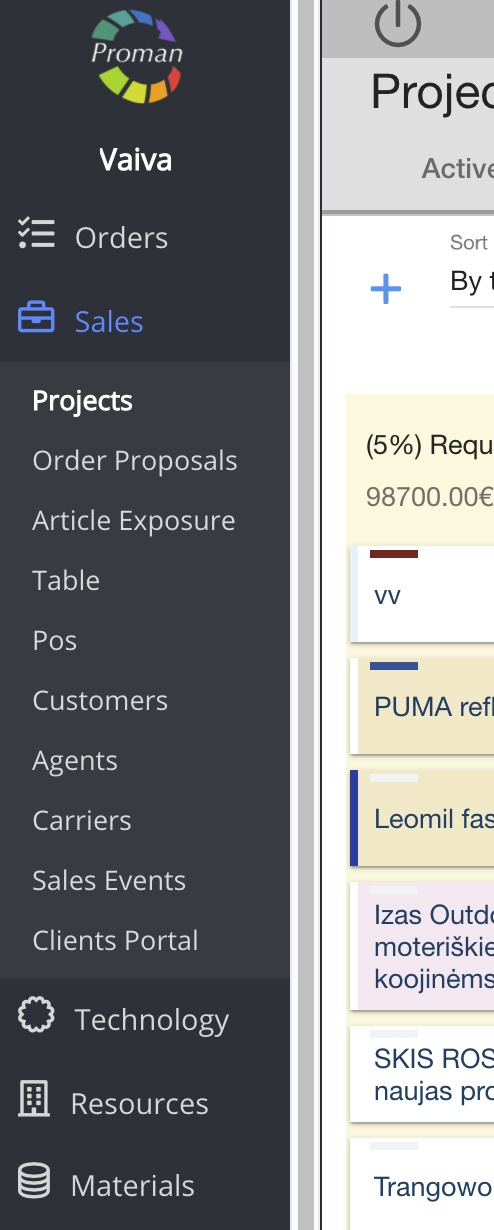
1. To find Projects, you should:
1. Go to Orders:
1.1.Click on
1.2. Then-
Now you can see the active project list
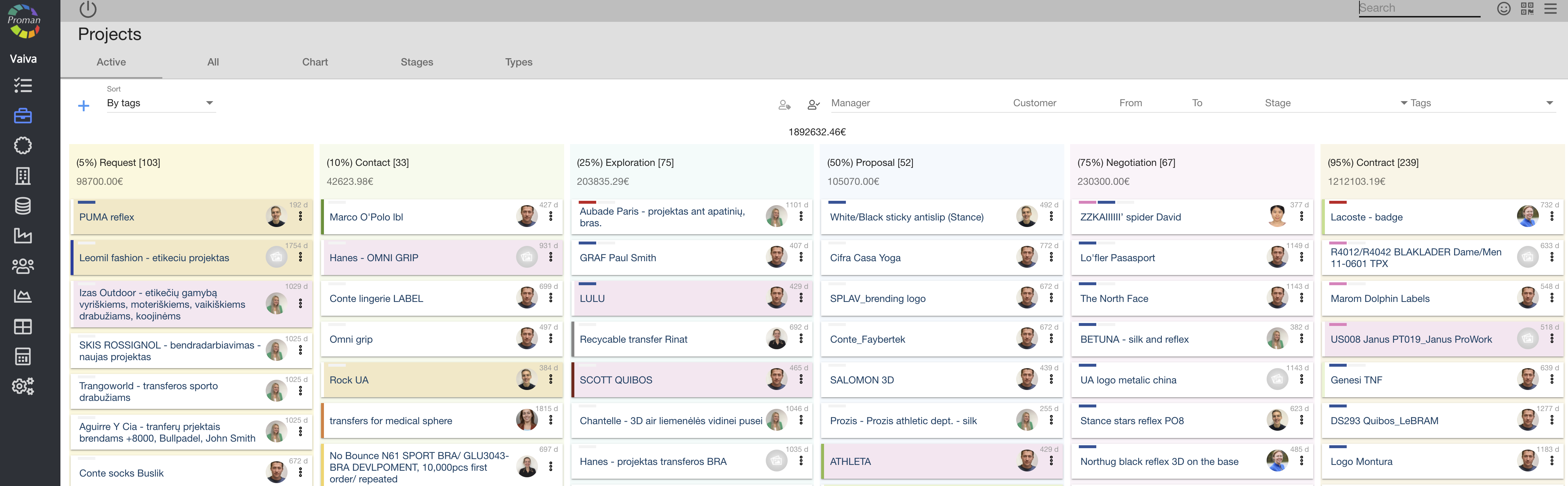
2. Choose a project
Now you can see the project information
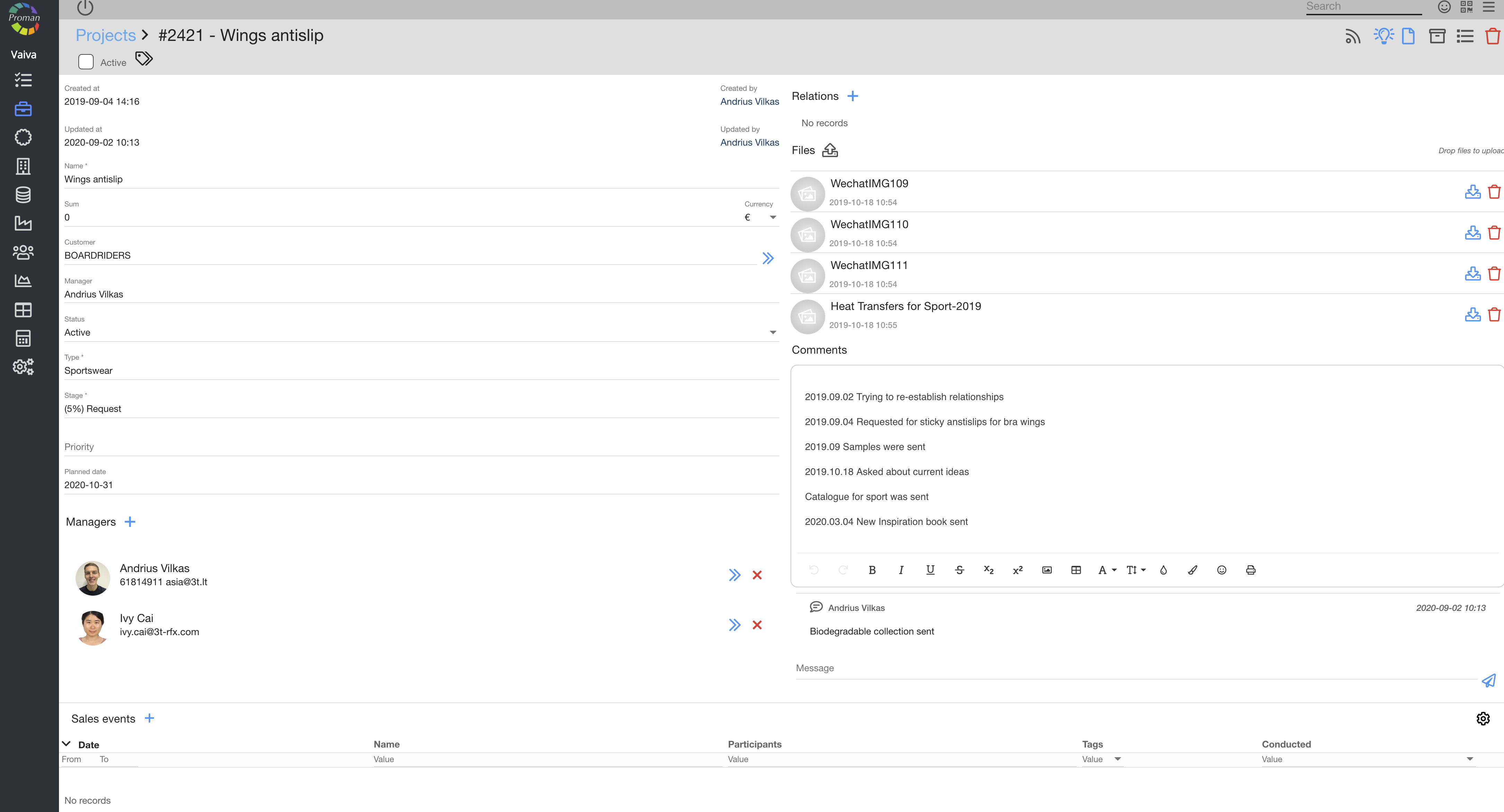
Here you can see, change information and upload documents for the project
| How to create a sales event? |
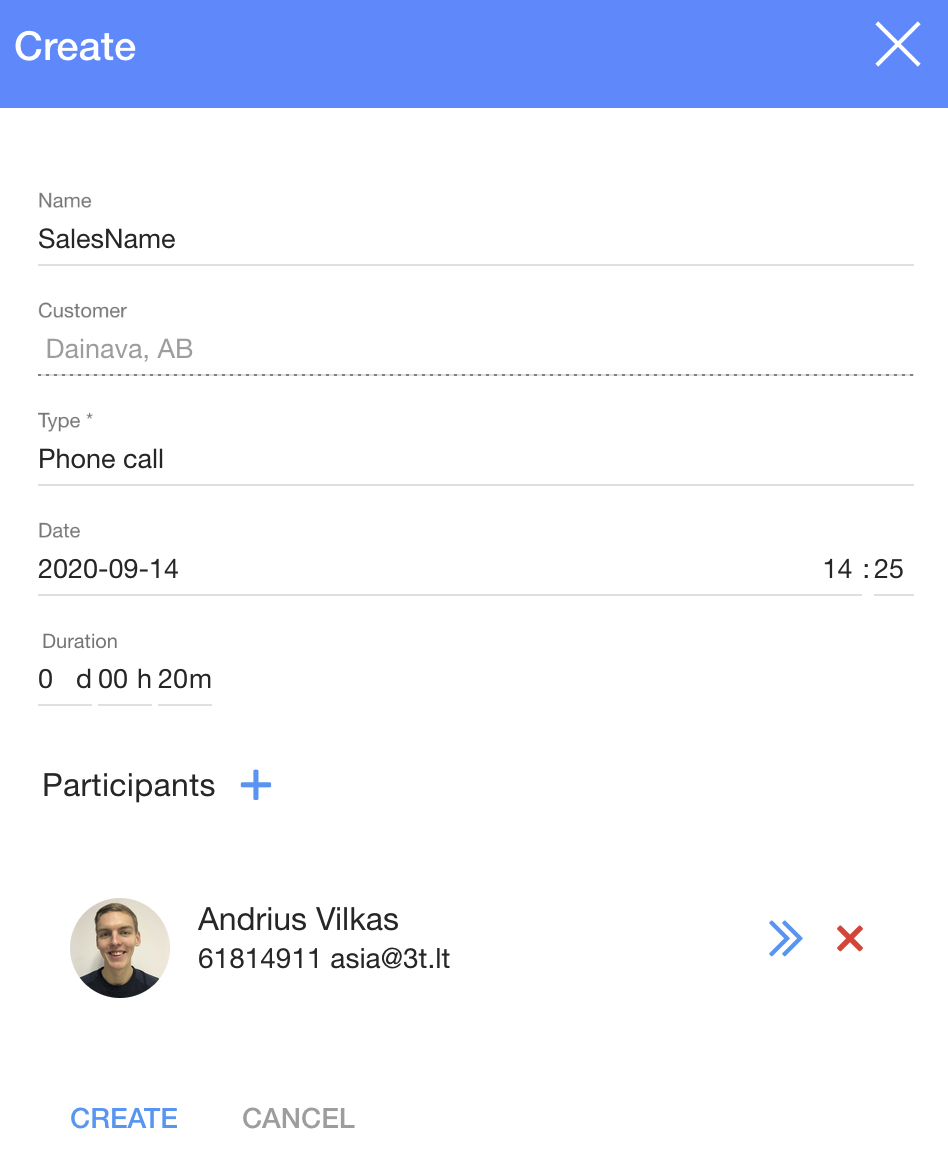
1. To create a sales event, click on 
2. In the dialog table:
2.1. Enter a name;
2.2. Choose a sales event type from the list:
- Phone call;
- Meeting online;
- Price proposal;
- Email proposal;
- Meeting on exhibition
2.3. Enter a sales event date and time;
2.4. Duration;
2.5. Participants;
3. Click

| How to create Relations? |

When you click on 
| How to manage the Project? |
After creating a new project, you can manage it with buttons.

| Button | What does it indicate? |
 | You can subscribe to get notifications about the project (button will be blue when active)  |
 | You can quickly send the project to development |
 | You can create a new order |
 | You can archive the project |
 | You can see the activity log in the project |
 | You can delete the project permanently |
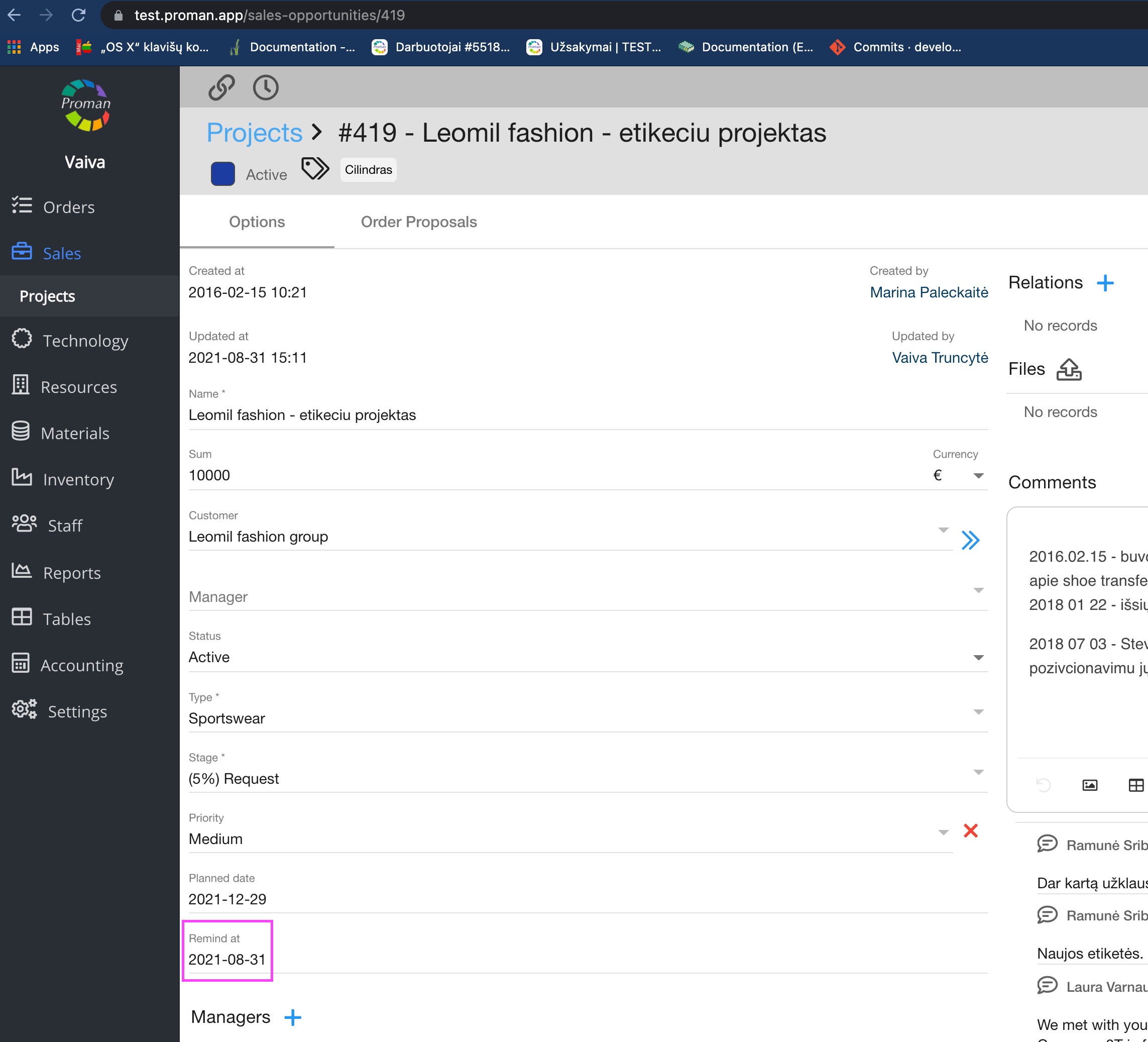
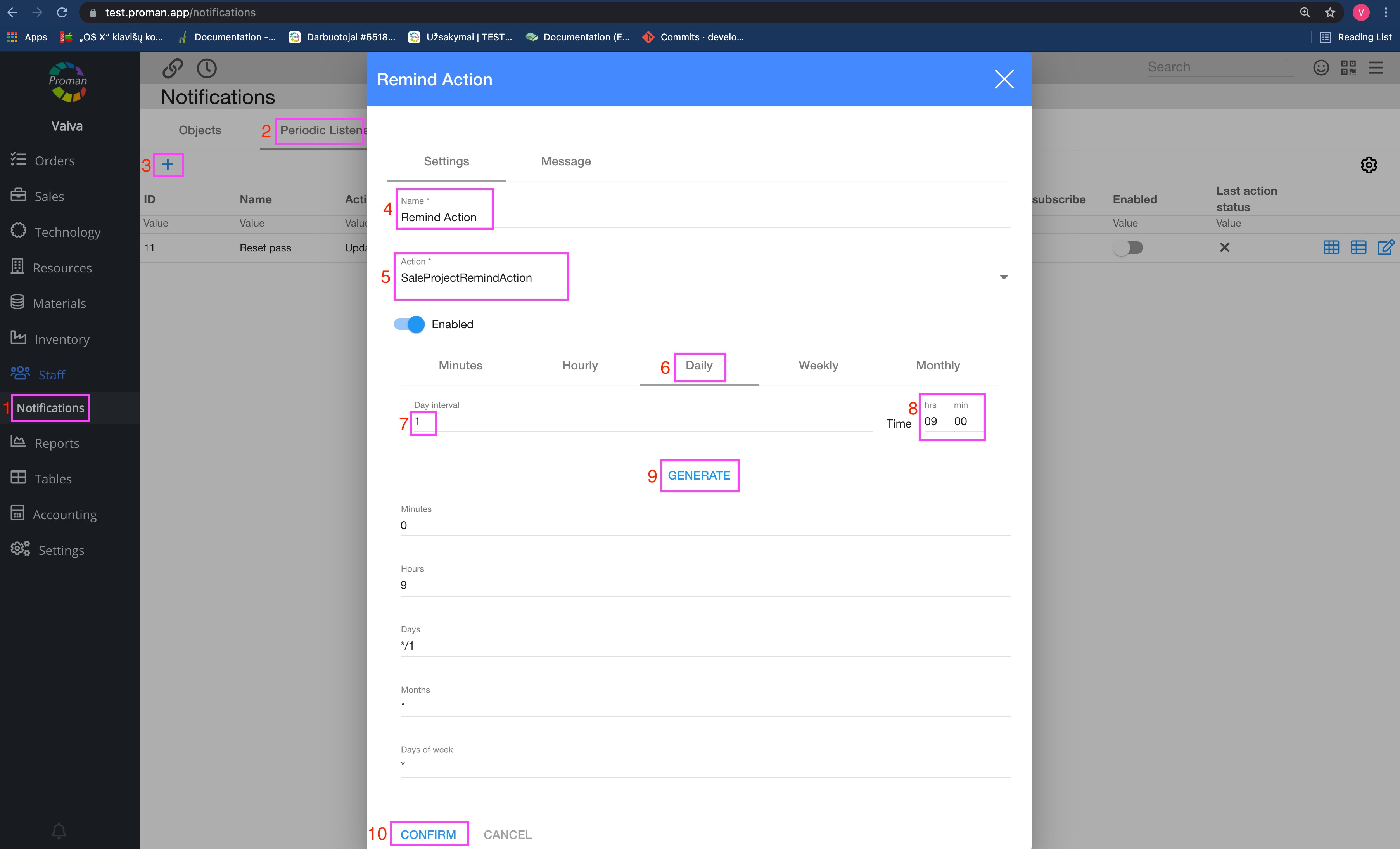
You can add a date when you would like to receive a reminder regarding a sales opportunities project. You should choose date and create a new periodic listener action