
 English
Client in PROMAN
The client can do many things in PROMAN:
1. See all confirmed products and information about them;
3. See all Orders and information about them (Note: if Order are confirmed, Client can't edit it);
6. See Invoices of the Order
7. See Shipments of the Order
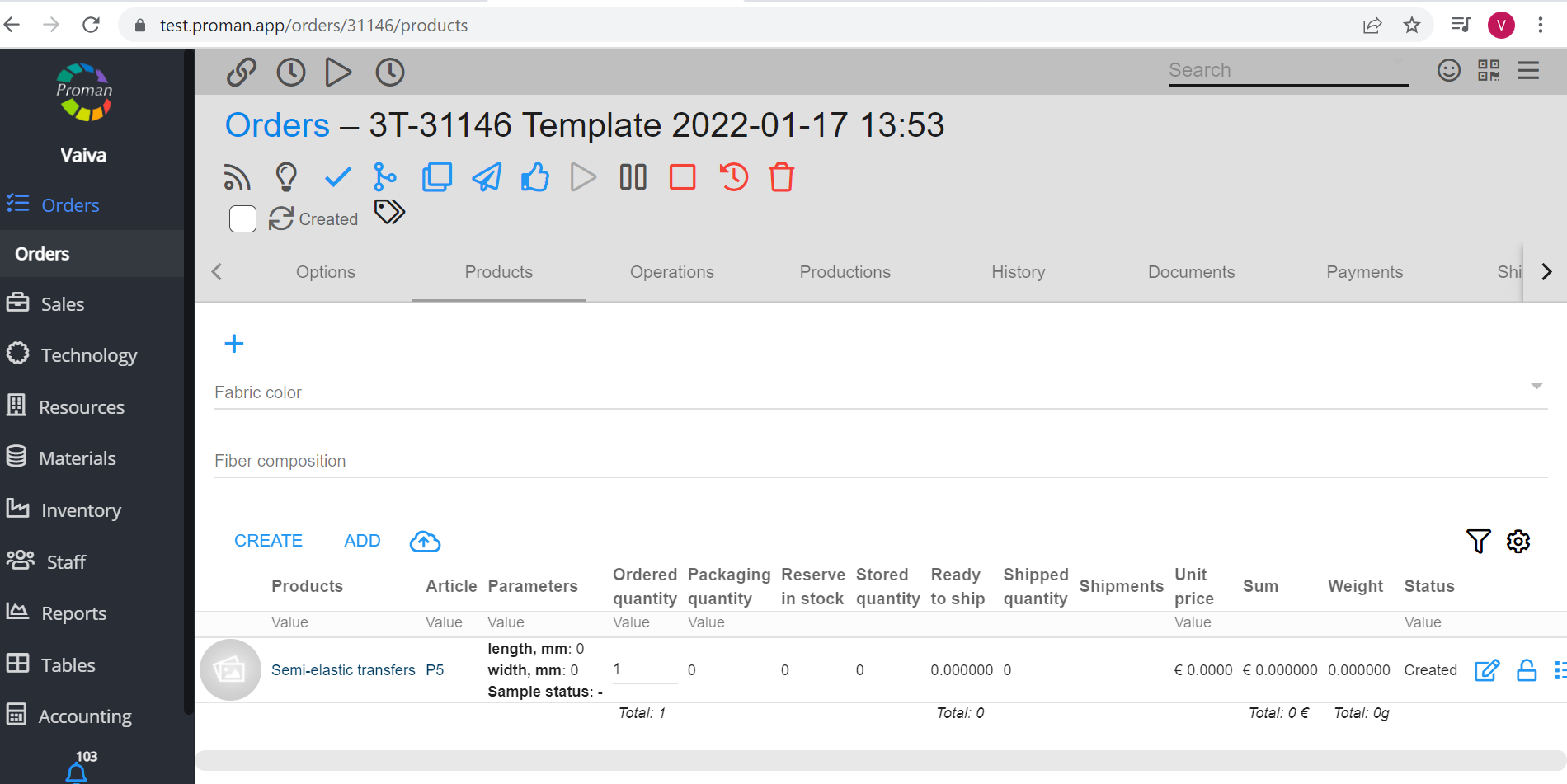
8. See products of the Order
1. See all products and information about them (Press 
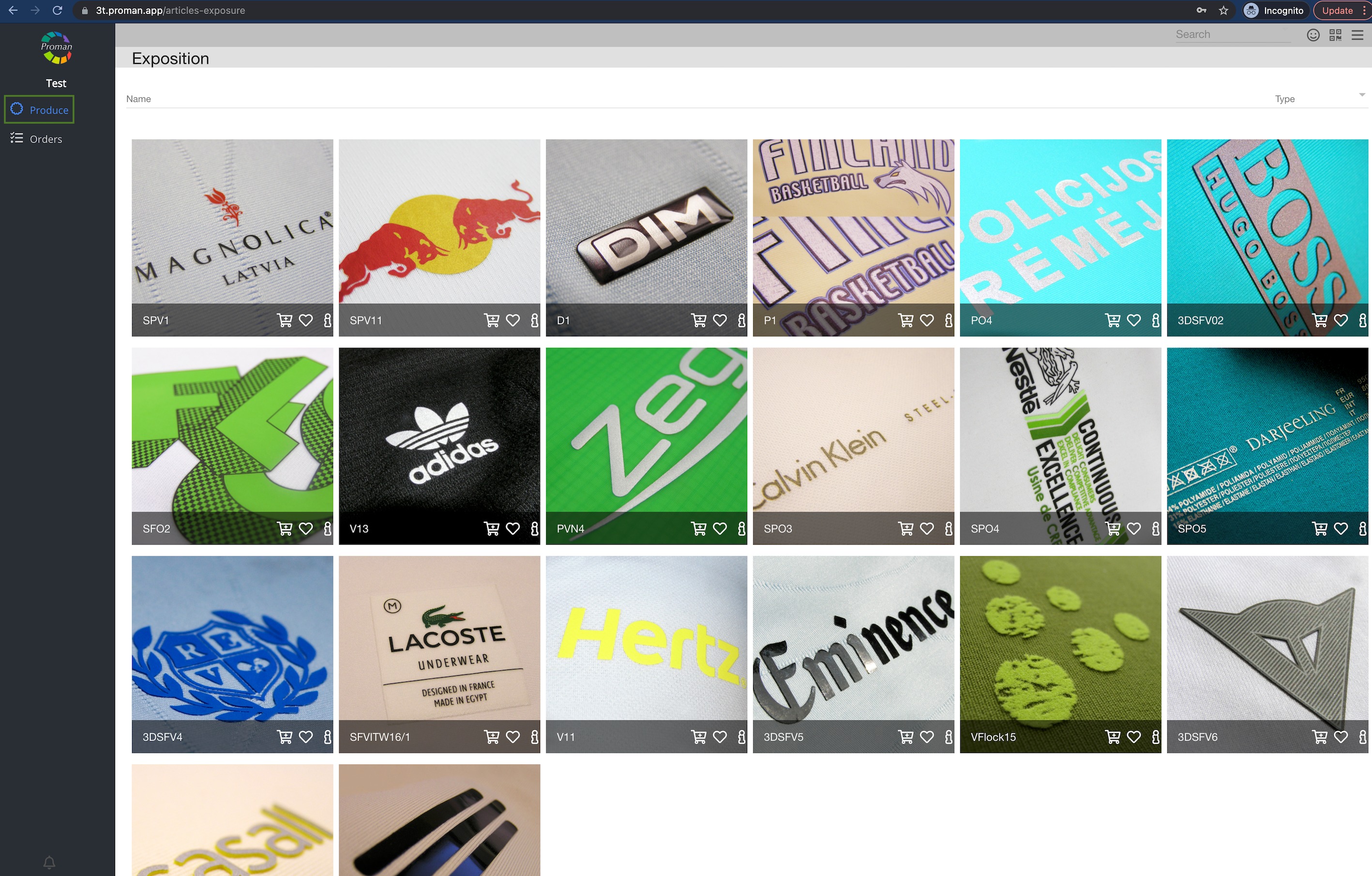
2. Create new Order (this way is much easier. You could also create new Order like PROMAN manager, for more information, please visit here):
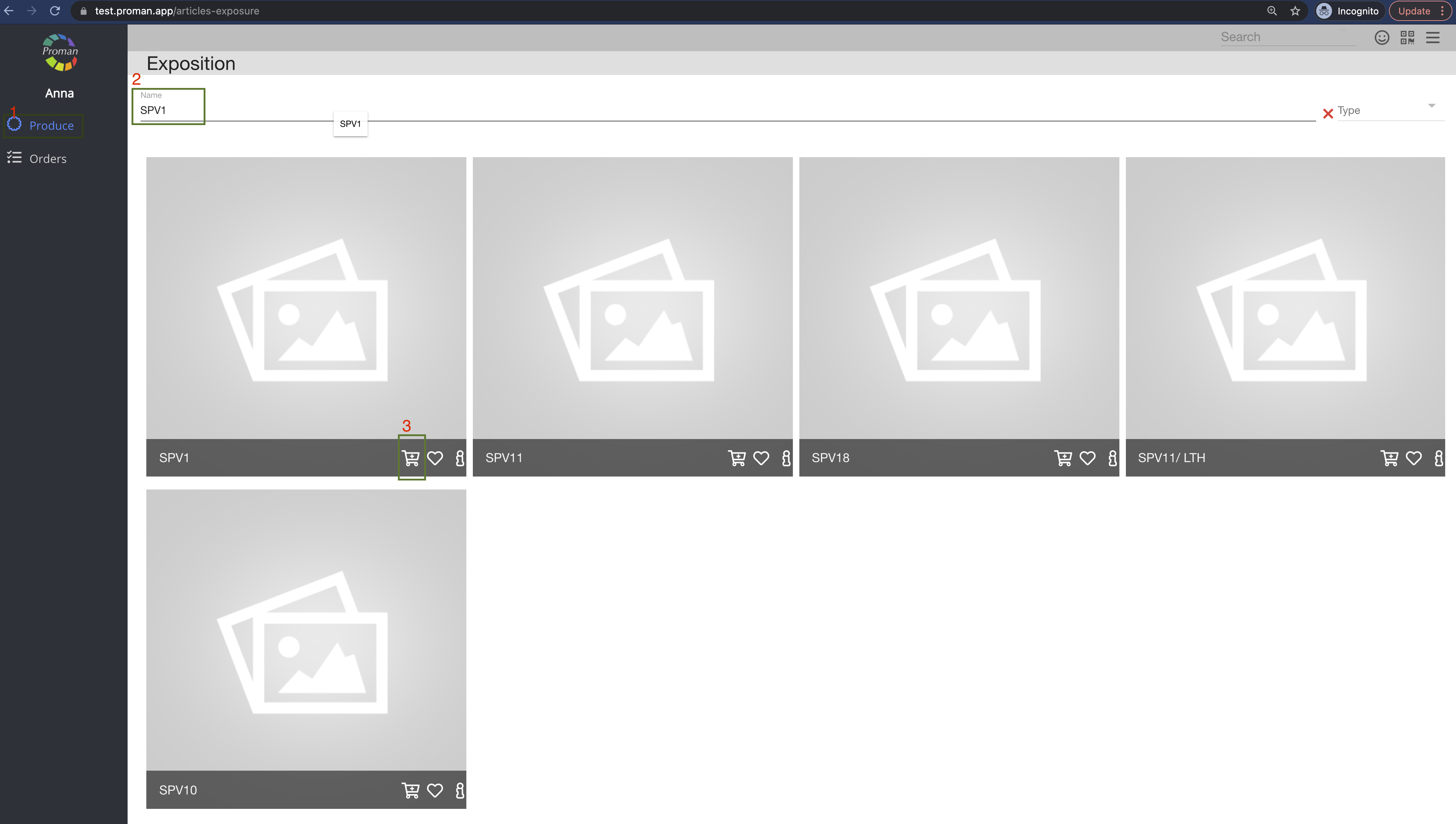
2.1. Press 
2.2. Enter Article name;
2.3. Press 
Now you can see Order Proposal
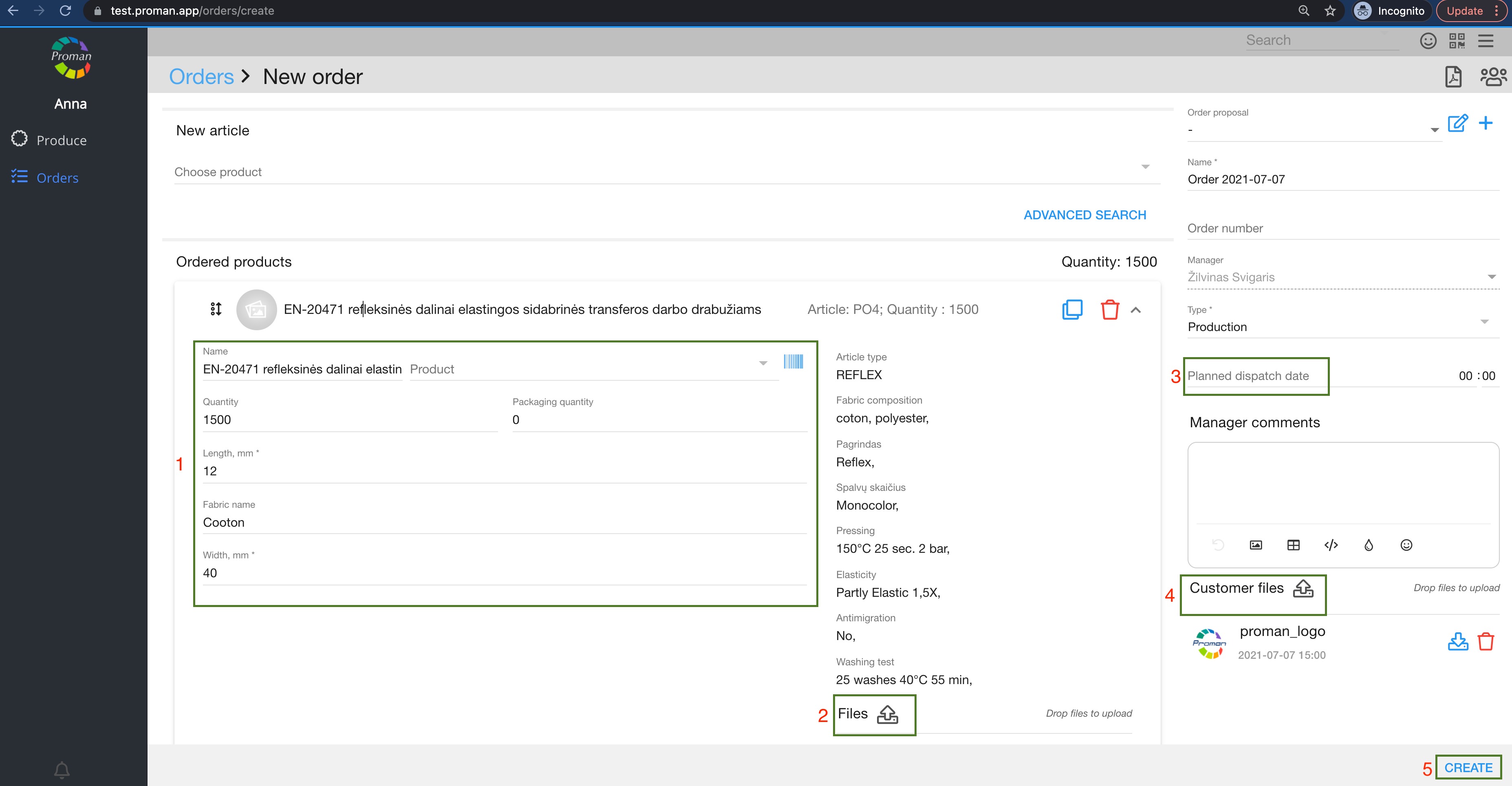
2.4. Fill in all data (it could be name, quantity, length, width and etc. * means that data is necessary), add Products and Customer files, choose Planned dispatch date and etc;
2.5. Press

3. See all Orders and information about them

3.1. Press 
3.2. Select Order;
Now you can see all information about Order
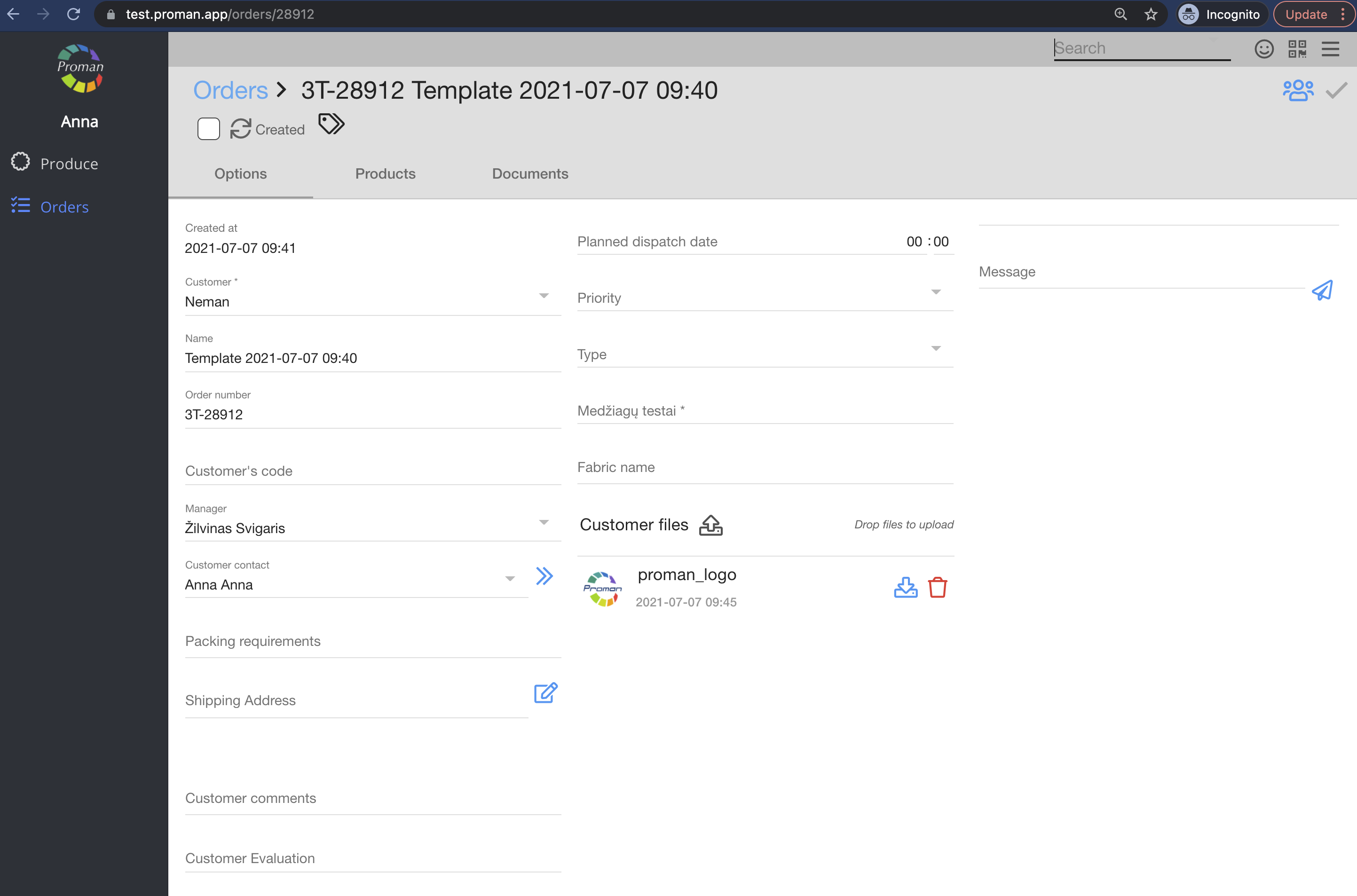
4. Add file to product
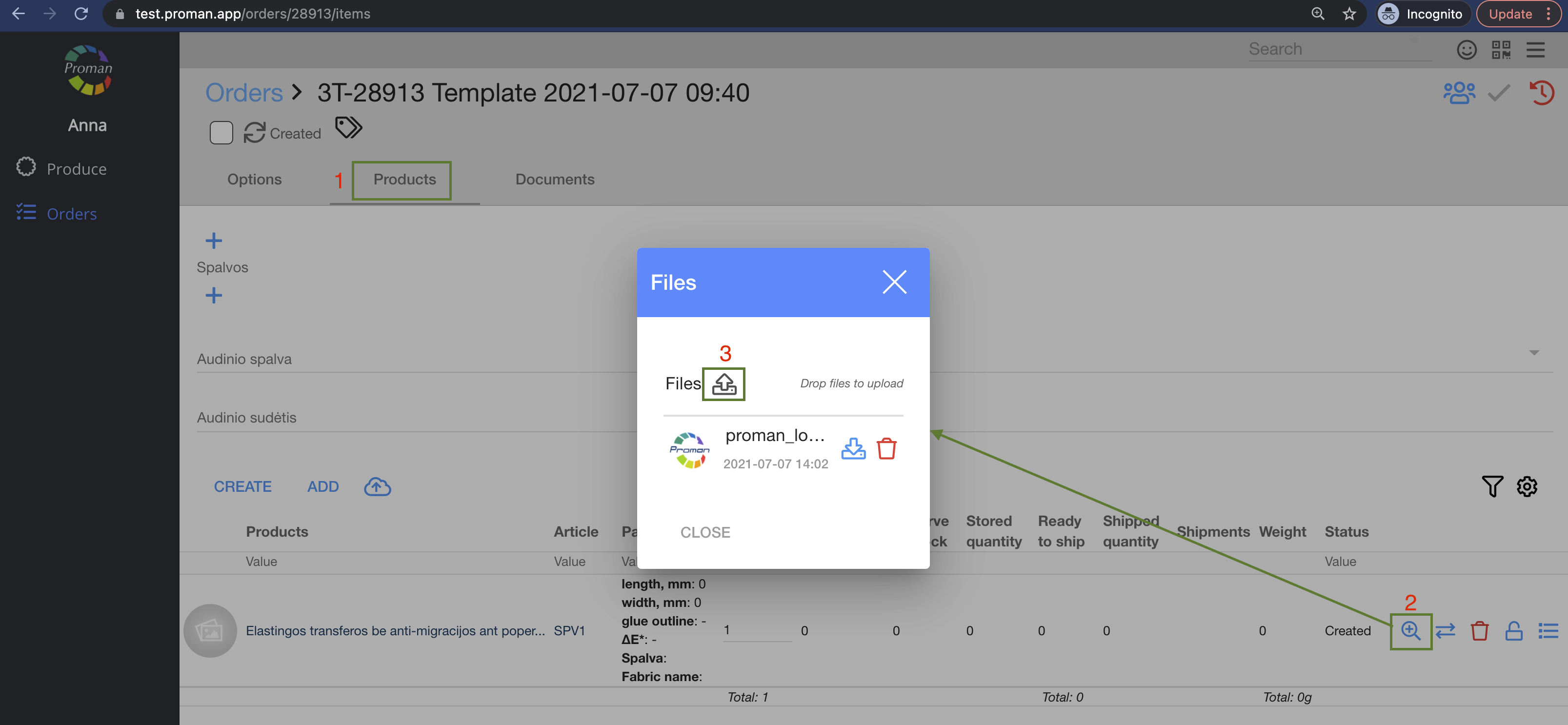
4.1. Press 
4.2. Choose product and press 
4.3. Add file 
5. Copy the Order
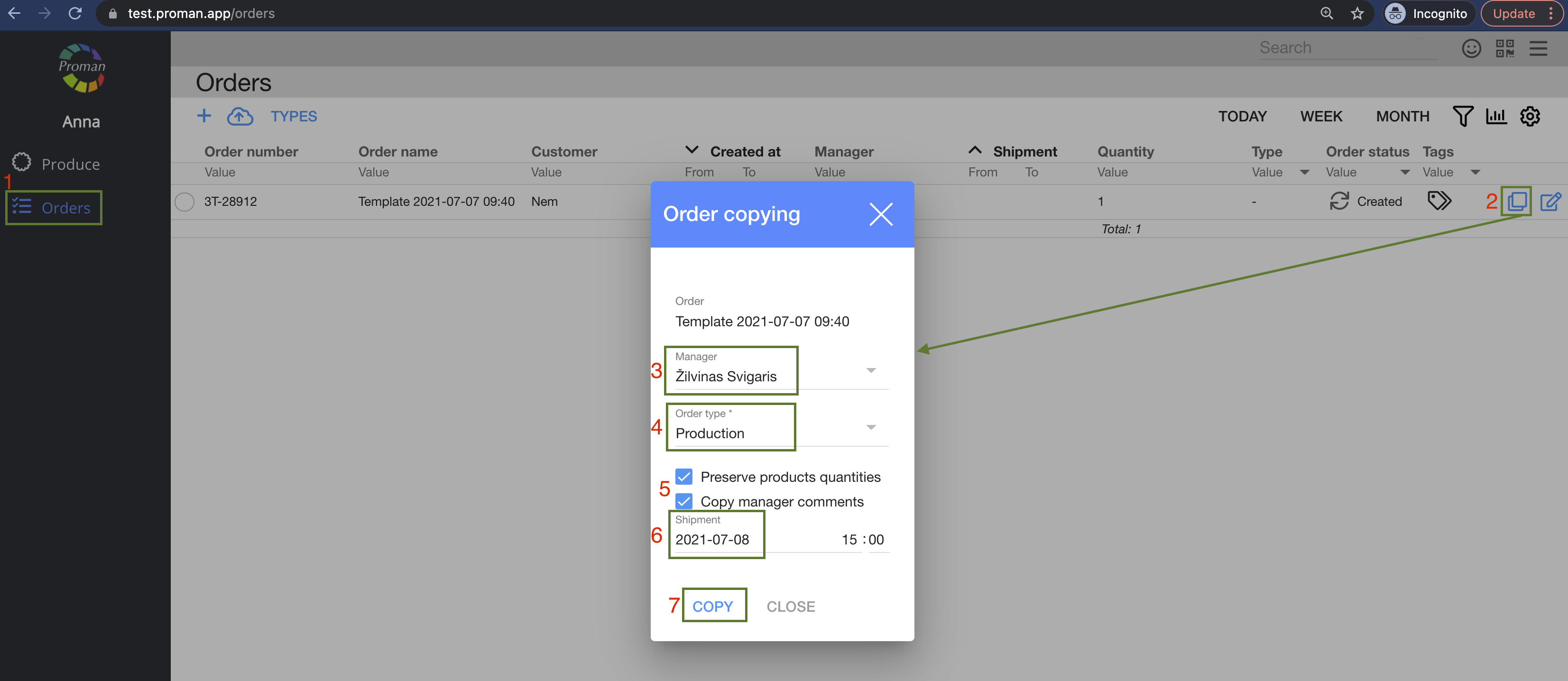
5.1. Press
5.2. Press 
5.3. Choose manager;
5.4. Choose Order type from the list;
5.5. Preserve products quantities (you will get the same product and its quantity) and copy manager comments (if necessary);
5.6. Choose shipment date (if necessary);
5.7. Press

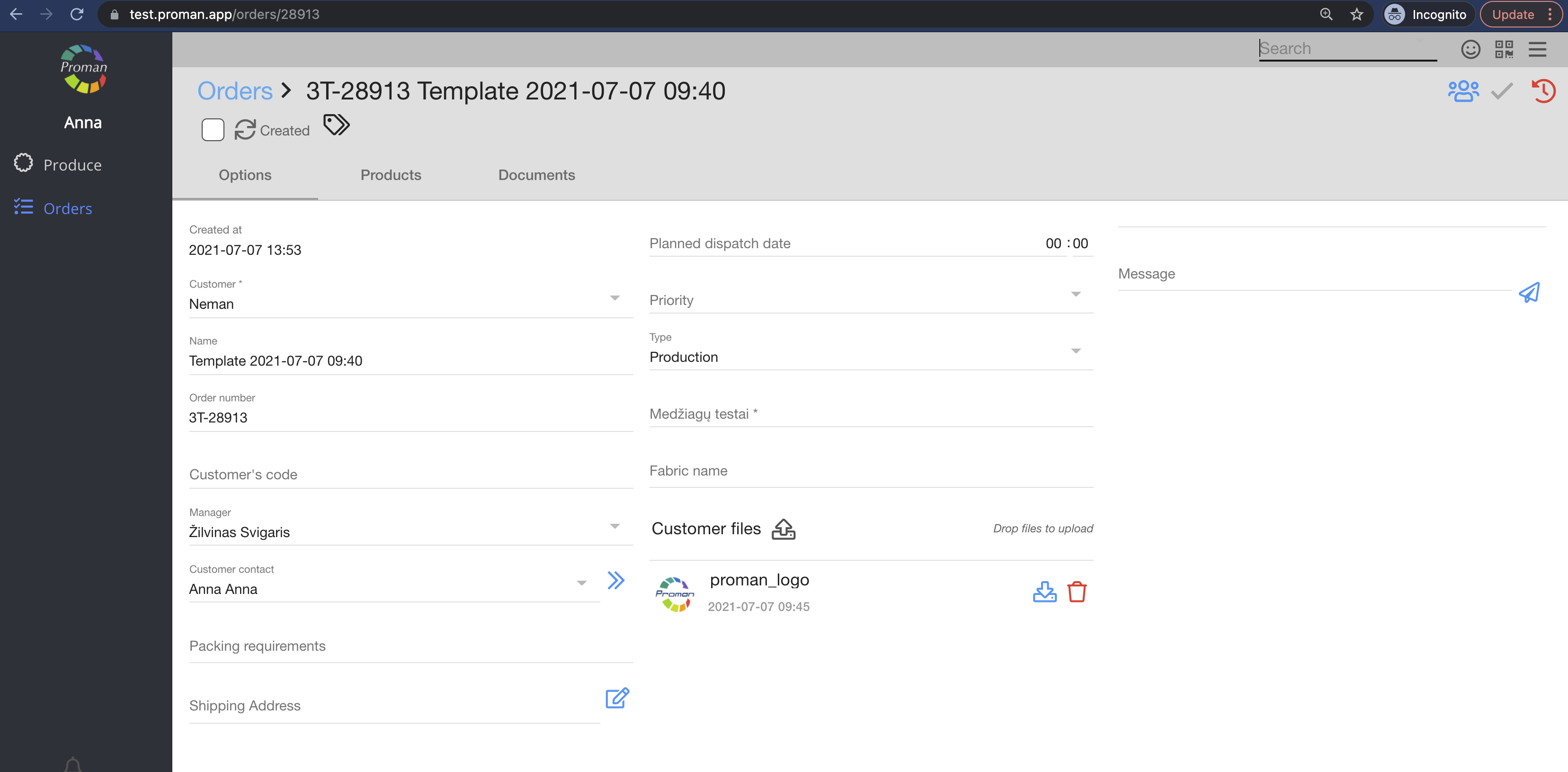
Now you can see copied Order
| Points you should know |
1. If Customer doesn't have permission Product Edit, he couldn't see information about Organisation and products: Stored Quantity, Reserve in Stock, Store name and etc.
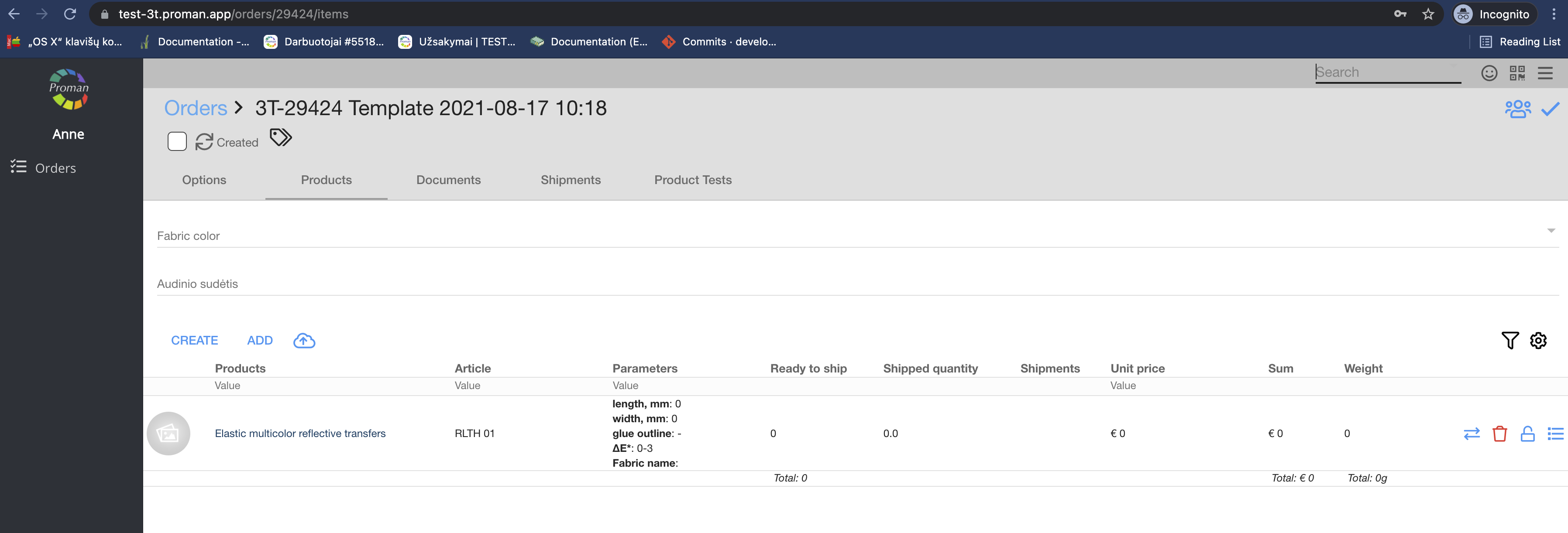
2. If you can't see all information about product, you should move mouse after table and wait until slider appears
How to set Price in Product Library?
Customer can see Price in Product library from Stored product Sales Price (first image bellow). If this value is 0 or empty then Price comes from Order Product Unit price (second image bellow).

