Production operations
How to credit Materials to Production?
How to edit Operation settings?
How to see Comments of Operation?
How to credit Materials to Production? (Step by step)
How to edit Operation settings? (Step by step)
How to add Comments of Operation?
To learn how to create a new production, see here.
To find the operations:
1. Go to "Orders"
2. Then- "Productions"
3. And "Operations"
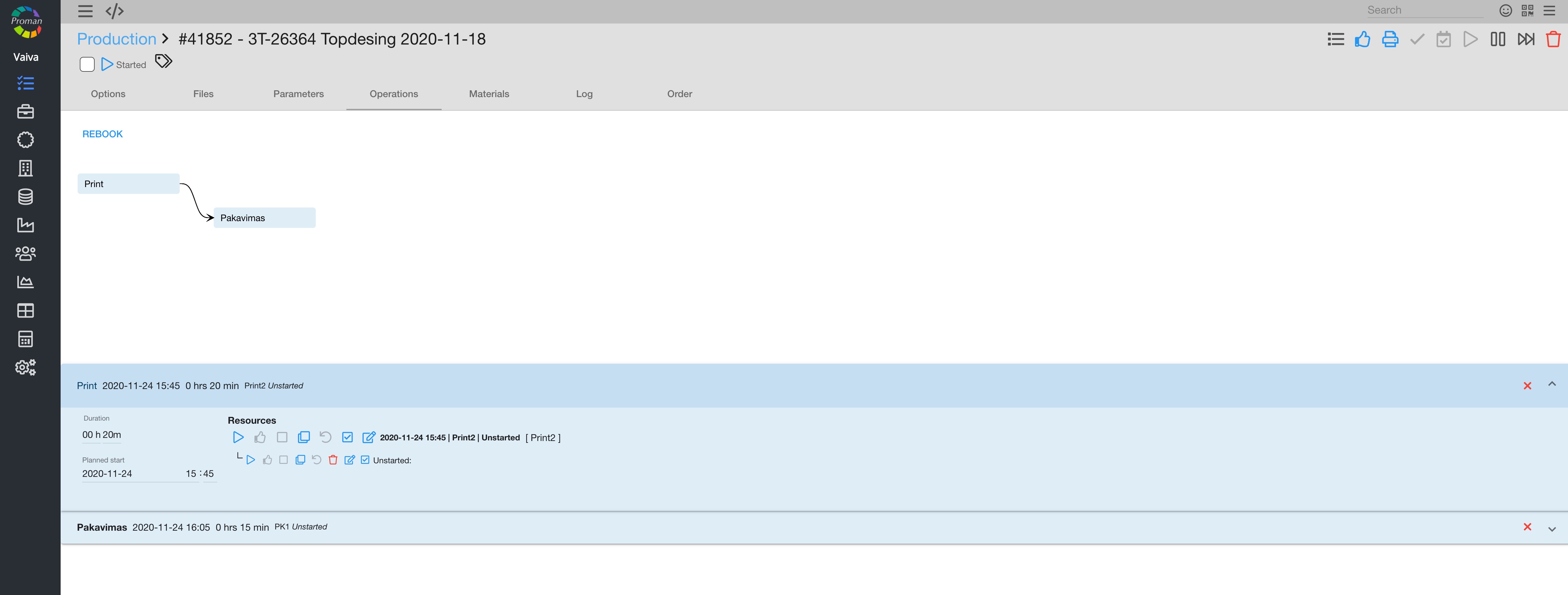
In this window, you can
Here you can see two lines:
- Main operation
- Personal operation
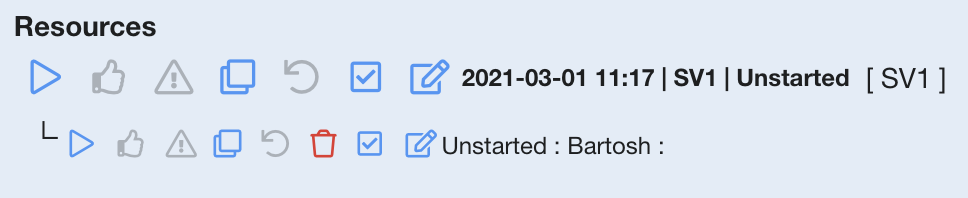
Click on 
Operation buttons
After creating the production operations, you can manage it with buttons:
| Button | What does it indicate? |
 | You can start the operation (if there is no workplace, the operator must choose it from the list) |
 | You can finish the operation |
 | You can cancel the operation |
 | Quality supervisor must confirm the operation's quality by clicking on this button. You can see this only if you have finished the operation and clicked |
 | You can copy the operation |
 | You can cancel your previous actions. When the operation is colored red, you will not be able to restart it again. You will have to copy the operation and start it then. |
 | You can add materials for the production |
 | You can edit the operation |
 | You can see and add comments about the order |
Note:
You can re-start a finished operation if you have a permission
| How to add materials to an operation? |
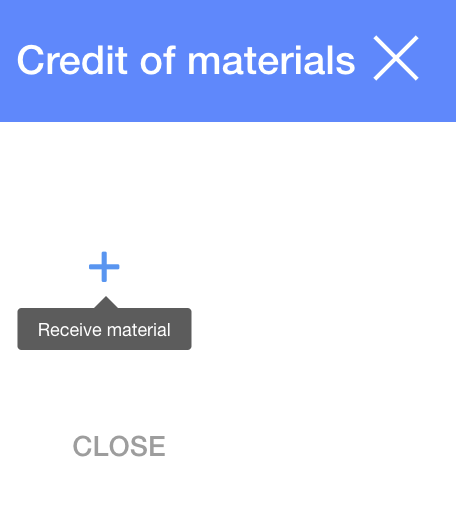
1. To add materials to an operation, you need to click on
2. In the dialog table:
2.1. Click button

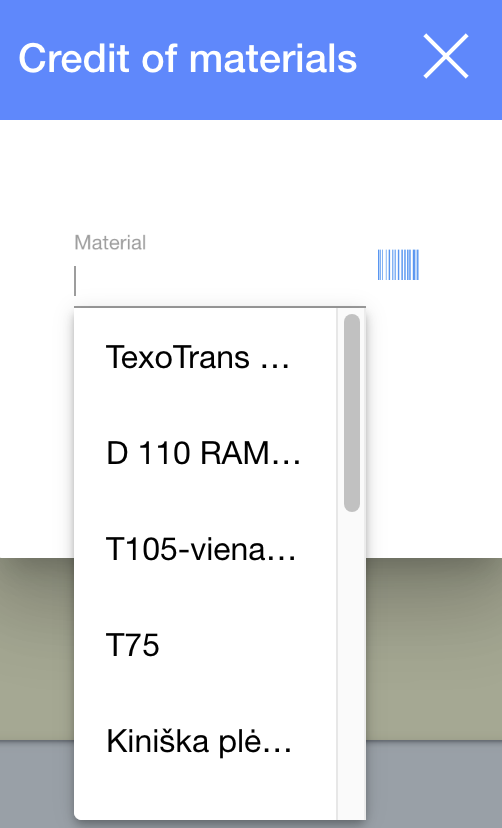
2.2. Choose the materials you want (from templates or enter a barcode), enter a remnant and Quantity;
2.3. Click

3. And click

| How to edit operation's settings? |
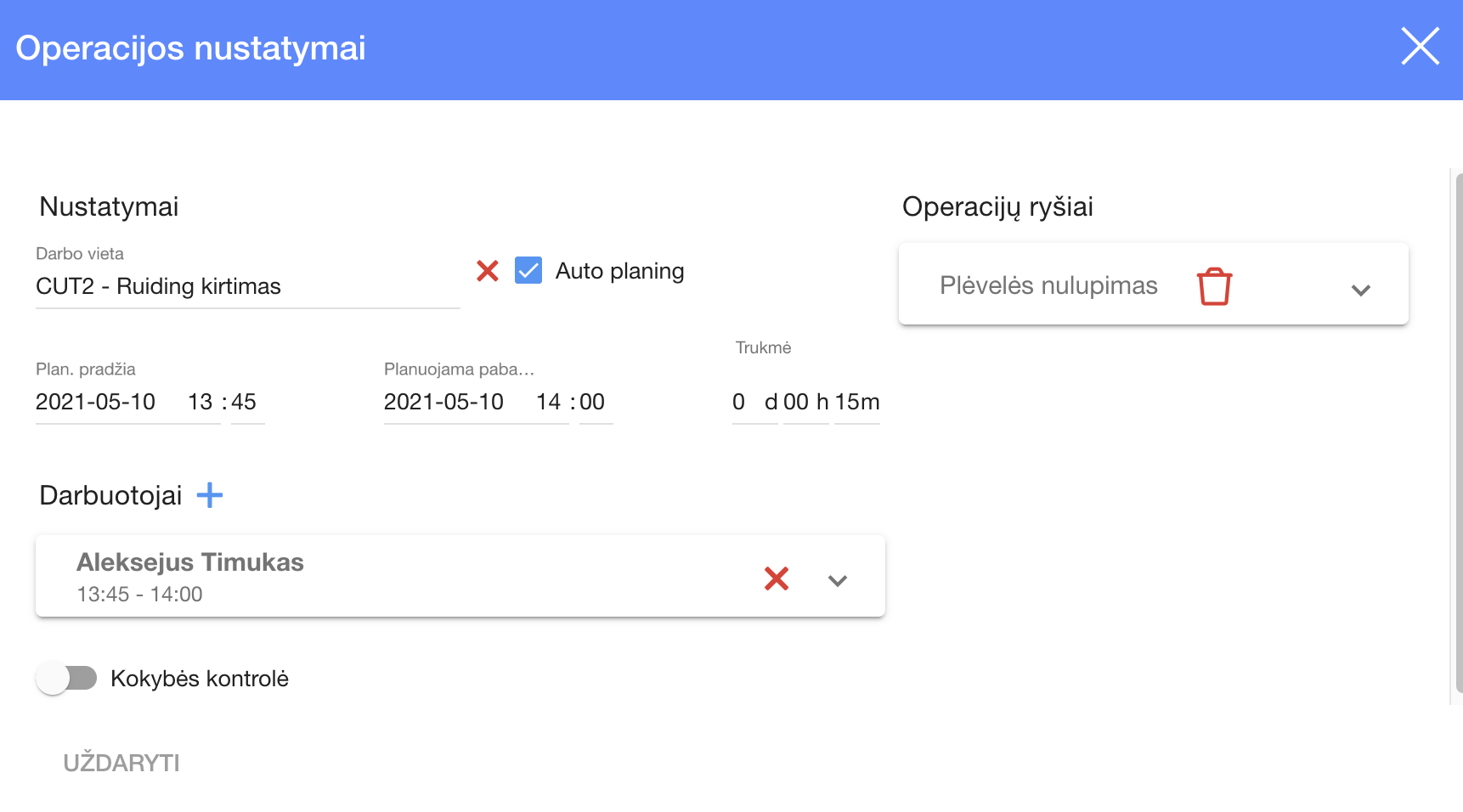
1. To enter the operation's settings, Click
2. In dialog table choose:
2.1. a workplace
2.2. Switch on or off the auto planning (If you want the system to take time or cost expressions and plan the Workplace automatically)
2.3. Links
2.4. Planned start and end
2.5. Duration
2.6. Employees
2.7. Quality control (on or off)
3. Click
| How to add comments to an operation? |
1. Go to an "Operation"
2. Click on
3. In dialog table choose press 

4. If you click on
You can also see and add operation parameters
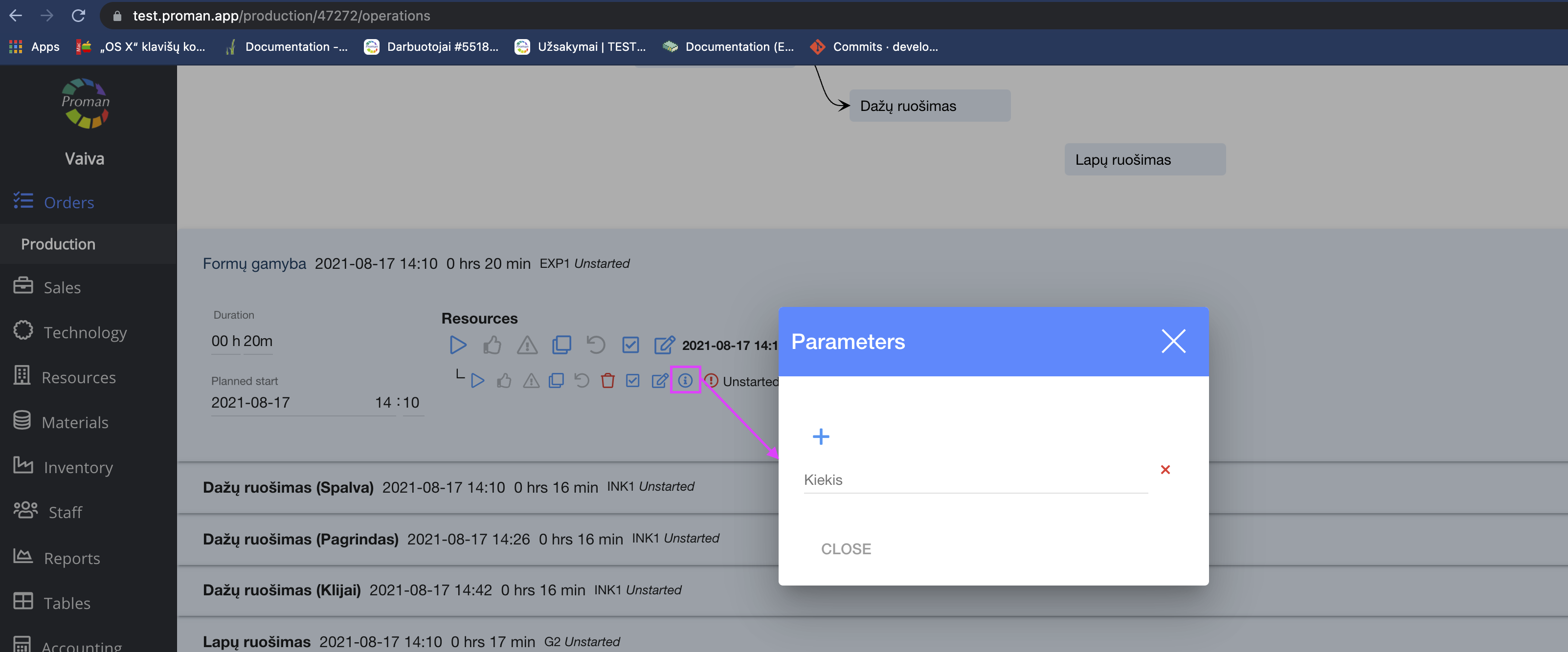
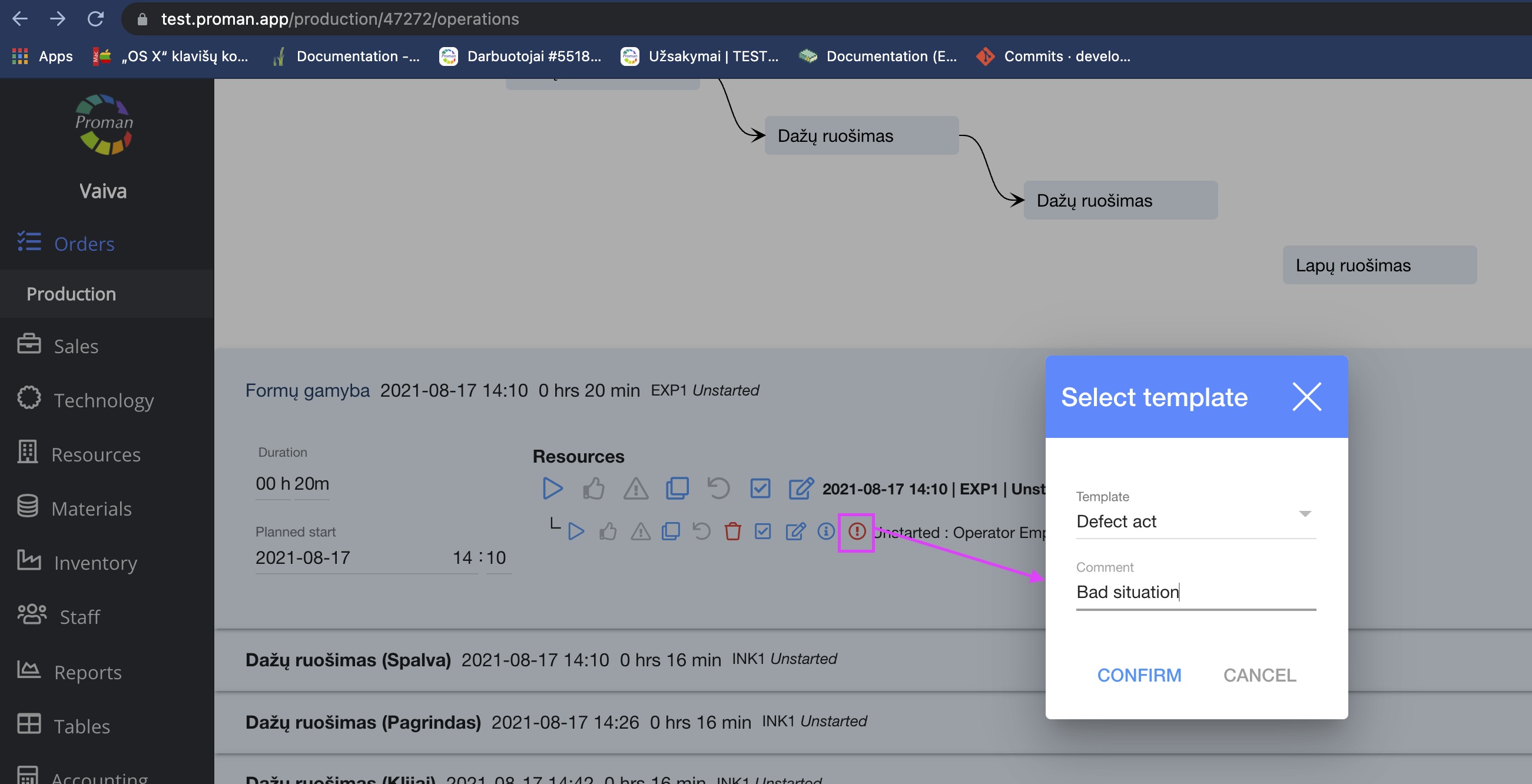
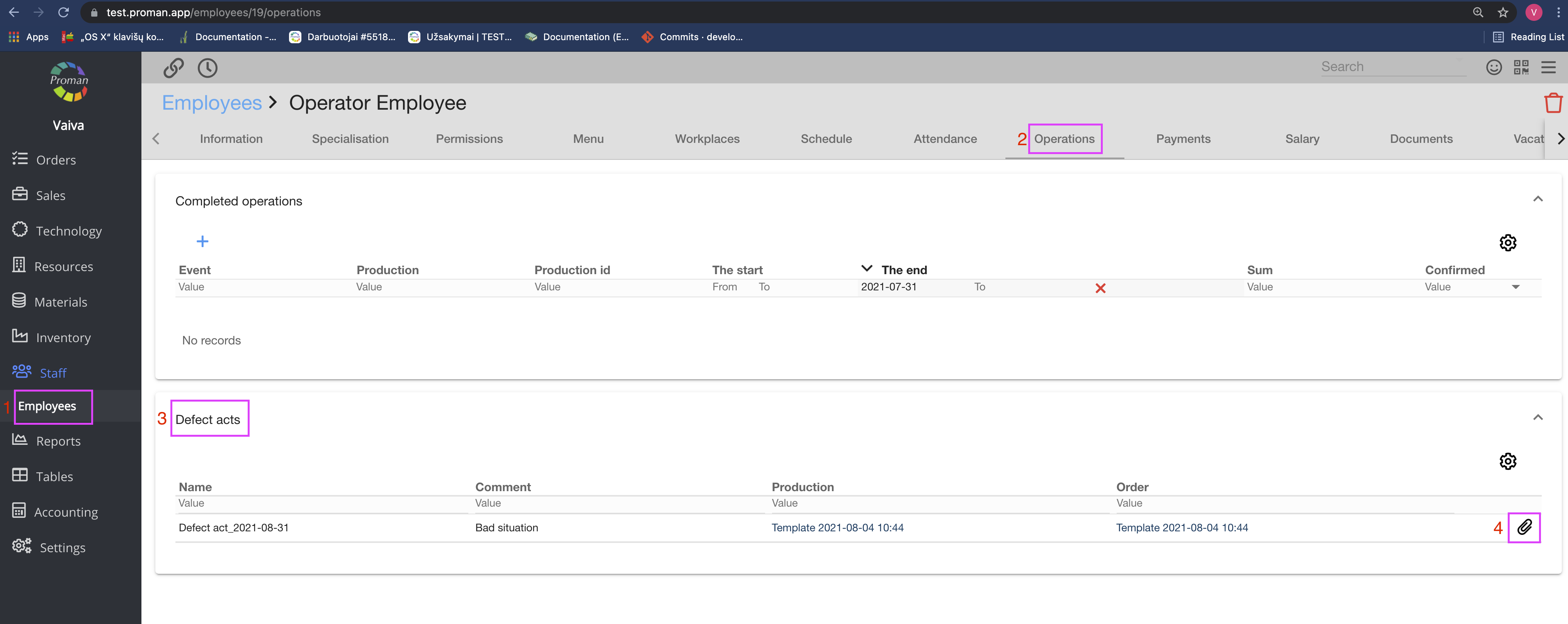
And you can add a Defect act. It is found in the employee's operations