
 English
Creating a new invoice
How to create Invoice of several Orders or Shipments?
| Where can you create new documents? |
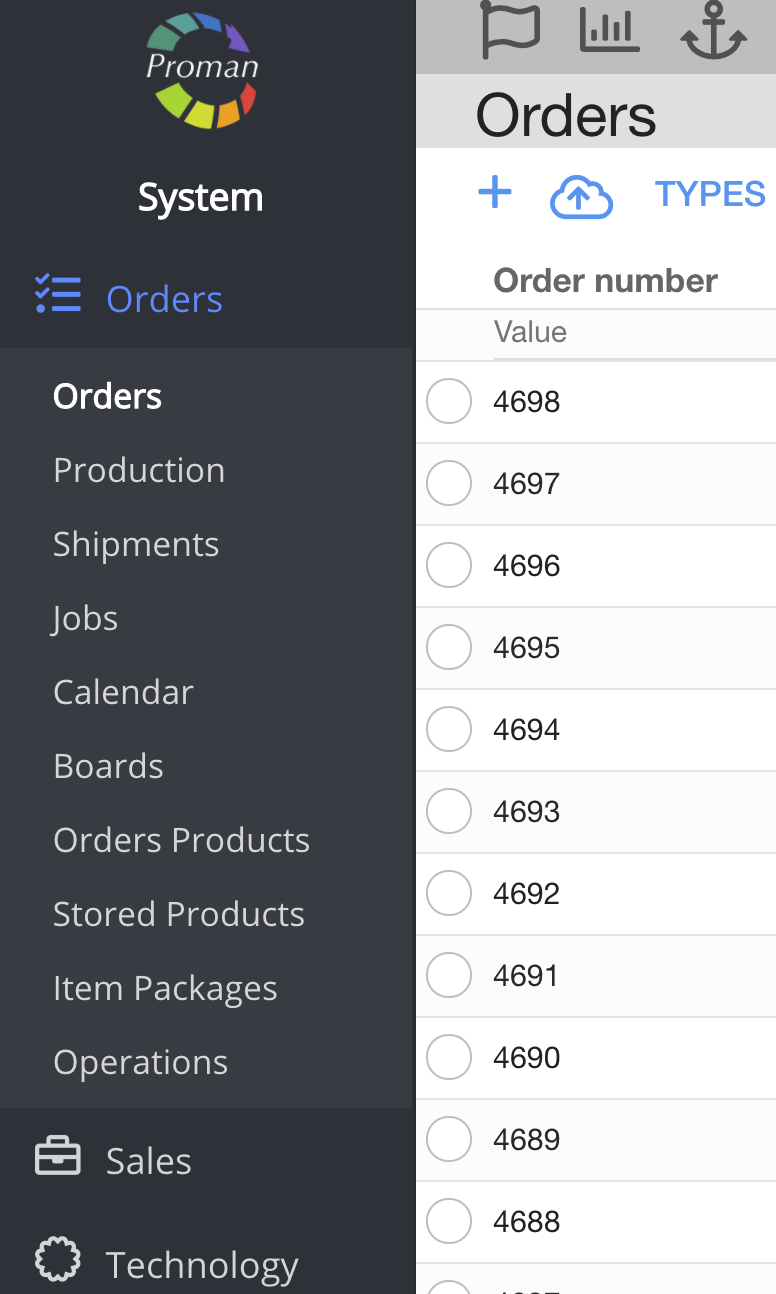
To create new Documents:
1. Click on 
2. Then 
3. Choose an order;
Now you can see "Order Options"

4. In the grey menu tab choose

Now you can see "Orders Documents"

| How to create a new invoice? |
To set Invoice number:
1. Go to 
2. Then- 
3. Click on


In the dialog table:
4. In the Invoice table enter:
4.1. Show the position number (if there are many products, you can see a queue number) (click 
4.2. Create an invoice number automatically (Click on
4.3. Proforma (it let you change the invoice from proforma really quickly) (Click
4.4. Payment in advance (Click
4.5. Credit the invoice (Click on
5. In the Shipment table (if it is needed) enter :
5.1. Shipment date (only from the list) ;
5.2. A carrier (only from the list) (DHL WorldWide Express);
5.3. And a tracking number (R000551111155LT);
6. In the Customer table enter:
6.1. A customer name (only from the list) (Topdesing);
6.2. A customer employee (only from the list) (Topdesing);
6.3. An Invoice address (Кенгарага 1, Рига, LV-1063, Латвия);
6.4. A delivery address (Кенгарага 1, Рига, LV-1063, Латвия);
6.5. A customer VAT code (154772530)

7. Add records:
7.1. If you want take the data from an order or a shipment, or even a shipment container, click on 

7.2. If you want to add new data, click on 

8. You can also add additional choices to help count the final amount (if you choose something, you will see changes near the invoice's sum counting):
You can:
8.1. Include transport costs ( click
8.2. Include discount (click
8.3. Include an advance (click
8.4. Add a comment (click
9. Click on

 How to confirm the order? |
To create a new confirmation:
1. Click on
Note: you need to have a shipment

4. In the dialog table choose and enter:
4.1. A template;
4.2. A date (order confirmation);
4.3. A shipment date ;
4.4. VAT(PVM21)
4.5. Shipment * (choose from the list)
4.6. Additional lines (if you want to add service costs and enter necessary information);
4.7. Choose a unit;
4.8. Choose a discount (0);
5. Click on

| How to create a certificate? |
To create a new certificate:
1. Click on


In dialog table:
2. Choose a template (CertificV);
3. Enter a date (order certification) ;
4. Valid until
5. And add additional options (if you want to add some service costs and enter necessary information);
6. Click on
| How to create an invoice of several orders or shipments? |
1. Click on
2. Enter needed information :

2.1. Choose an order to add to the invoice (3T-29405 order_2021-09-1095056)
2.2. Choose a shipment (#32097-2021-09-10)
2.3. Click on

2.4. Then-

2.5. Do it as many times as you need. You can also add several 

| Invoices |
You can send Invoice to Customer employee (you can find Customer Employee's list of emails only if Document Notification is checked in Customer Employee Options)


| How to credit the invoice? |

- Go to "Orders"
- Choose an order
- Go to the "Documents" tab
- And click on

- Then click on
- Choose an invoice number that you would like to credit
- Choose VAT
- Click on


Now you can see the credited invoice
